
SEO Guides · 8 min read
Watch YouTube Together With Friends: 7 Best Free Apps & Sites
Updated On: November 16, 2026
Want to watch YouTube together with friends who aren’t in the same room? The easiest way is a tool that syncs the YouTube player, so when one person presses play or pause, it happens for everyone. Unlike screen sharing in a video call, this keeps full video quality on every device — whether you’re on a phone, tablet, laptop or desktop computer.
Below are 7 free ways to watch YouTube with friends: apps you may already use, like Discord and Zoom, and websites where you can watch YouTube videos together without signing up.
7 Best Websites and Apps to Watch YouTube in Sync
Here’s how the seven options compare at a glance. “Sync” just means everyone sees the same moment of the video, even when someone pauses or skips ahead.
| Option | Account needed? | Chat or voice | Main free limit | Best for |
| Discord | Yes | Voice, video, and chat | 180 minutes of group playback, then a short break | Friends who already use Discord |
| Zoom | Yes, for the host | Voice, video, and chat | 40-minute meetings | Short videos during a video call |
| Youple | No, for quick rooms | Not listed | Quick rooms close after 30 days without visitors | Starting fast with a shared playlist |
| SyncUp | No | Text and voice | 5 people per room, 1 hour of voice a day | Small groups that want to talk in the same tab |
| Watch2Gether | No | Chat and webcam | Some features are paid | Watching YouTube and other video sites |
| OpenTogetherTube | No, for temporary rooms | Chat | Temporary rooms expire after 2 hours of inactivity | Open video links and self-hosting |
| GroupTube | No, for most features | Voice and video | Some features may need an account | Built-in calls on any device |
1. Discord Watch Together
Discord has a built-in Watch Together activity that lets you watch YouTube together on Discord in a voice channel. Everyone sees the same video in sync and can talk or chat at the same time. Each person needs a Discord account, and group playback pauses after 180 minutes for a 10-minute break.
How to Watch YouTube Together on Discord
- Join a voice channel on your server.
- Click the Activities (rocket) icon and choose Watch Together from the Activity Launcher
- Paste a YouTube link or search for a video — it plays in sync for everyone in the channel.
- Anyone can add videos, and the host can turn on Sharing mode to let everyone control playback.
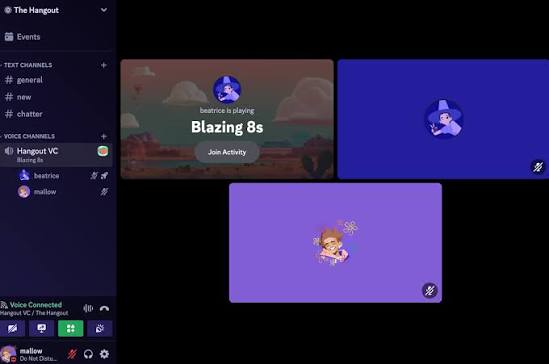
The catch: Everyone needs a Discord account. Group playback stops after 180 minutes for a 10-minute break, and you can’t sign in to YouTube, so YouTube Premium won’t remove ads.
Best for: friends who already hang out on Discord.
2. Zoom
Zoom isn’t made for watch parties, but it works if you already use it for calls. Zoom is a simple way to watch YouTube together remotely: the host shares their screen with sound while the video plays. Free meetings are capped at 40 minutes, and only the person sharing controls playback. Because the video goes through screen sharing, quality drops and the sound can lag.
How to Watch YouTube Together on Zoom
- Start or join a Zoom meeting and open the YouTube video in your browser.
- Click Share Screen and select the browser window or tab with the video.
- Tick Share sound before you click Share, otherwise others will only see the picture.
- Play the video in full screen; only you control pause and playback.
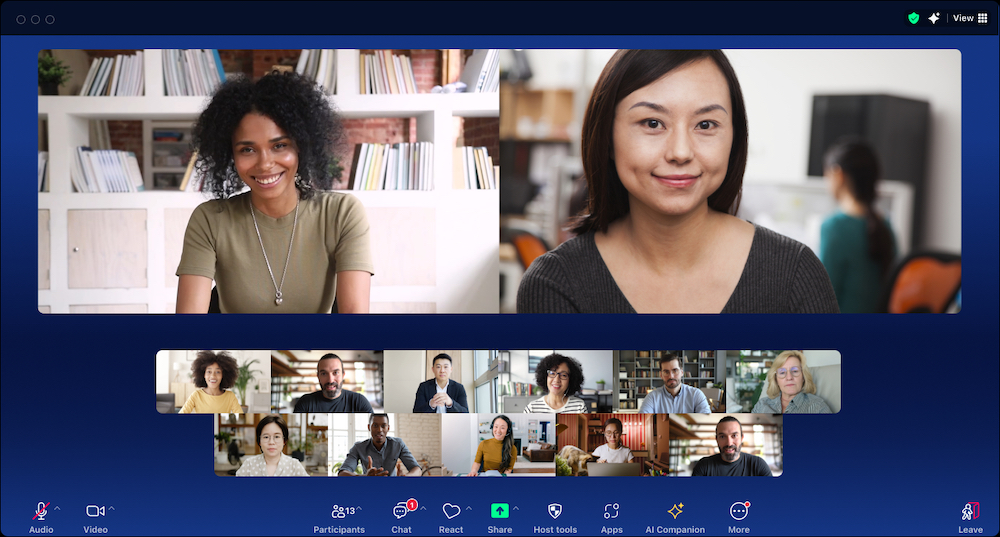
The catch: Your friends watch your screen, not their own player, so quality depends on your connection. Free meetings are limited to 40 minutes, and only the person sharing controls the video. Because the video goes through screen sharing, quality drops and the sound can lag behind — fine for a quick clip, less so for a full video.
Best for: short videos when you’re already on a video call.
3. Youple.tv
Youple is a free website to watch YouTube together — no app, no sign-up. Create a room, send the link, and paste YouTube videos into a shared playlist. It’s one of the fastest ways to watch YouTube together online with friends, a partner far away, or a study buddy. Quick rooms close after 30 days without visitors, and some videos can’t play outside YouTube.
How to Watch YouTube Together Online With Youple.tv
- Go to Youple.tv and create a room. No account or app needed.
- Copy the room link and send it to your friends in any messenger.
- Paste YouTube links into the shared playlist.
- Press play: the video stays in sync for everyone in the room, on phone or computer.
Each person controls their own volume, and a browser extension lets you send videos straight from YouTube. If you want to keep the same link, you can sign in with Google, Discord, or email to create a permanent room.
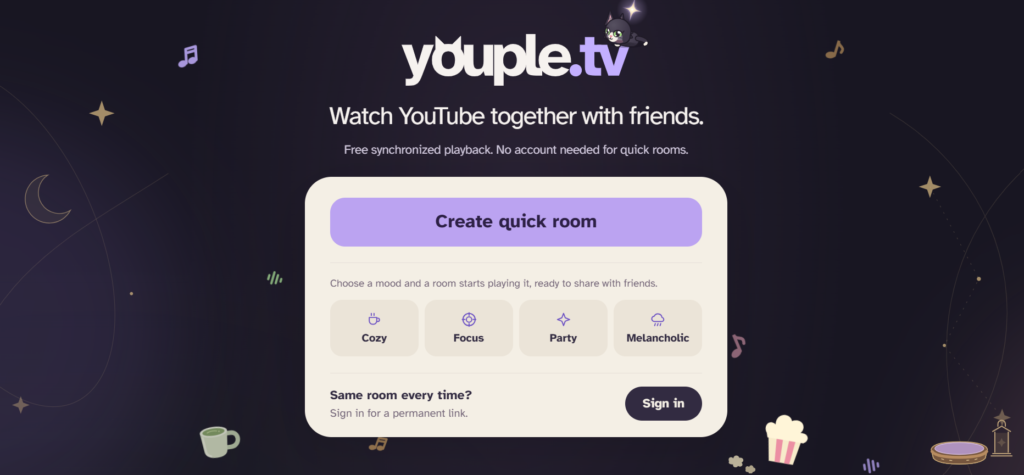
The catch: Quick rooms close after 30 days without visitors. YouTube’s own ads can still appear, and some videos can’t play outside YouTube. On a phone, you may need to tap “Join playback” first.
Best for: starting a shared YouTube session in a few clicks.
4. SyncUp
SyncUp is a watch YouTube together app that works in the browser and on iOS and Android, with video, text and voice in one tab. Free rooms hold up to five people and include one hour of voice per day; a paid tier raises those limits.
How to Use the SyncUp App to Watch YouTube Together
- Open SyncUp in your browser or download the app for iOS or Android.
- Create a room and invite friends with the link.
- Add a YouTube video; playback syncs for everyone.
- Turn on voice or video chat to talk without leaving the tab.
You can use YouTube videos, playlists, live streams, and YouTube Music without installing anything.
The catch: Free rooms hold up to five people and include one hour of voice a day. Plus removes the voice limit and raises the room cap to 50, starting at $3.33 a month billed yearly or $3.99 billed monthly.
Best for: two to five friends who want to talk while they watch.
5. Watch2Gether
Watch2Gether is one of the oldest ways to watch together on YouTube and other video sites. It has a shared player with chat and webcam options, so you can watch a YouTube video together and see each other’s reactions. Some features require a paid subscription.
How to Watch YouTube Videos Together on Watch2Gether
- Go to Watch2Gether and create a room.
- Share the invite link with your friends.
- Paste a YouTube link or search for a video in the room’s search bar.
- Use the chat or turn on webcams to see each other’s reactions.
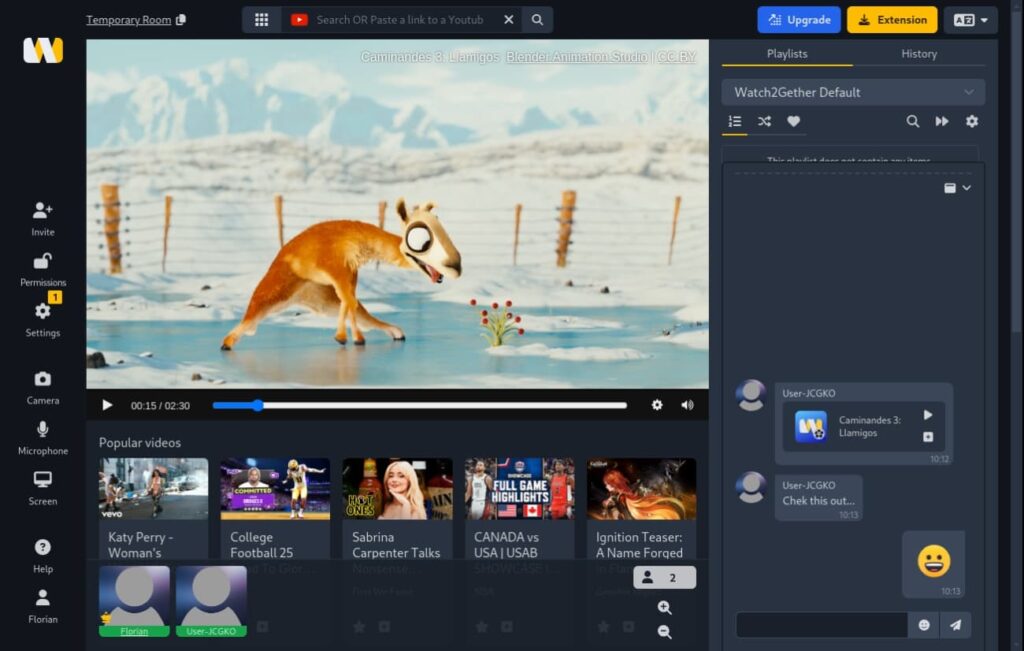
The catch: There’s a free version, but some features sit behind a paid subscription. Check the current limits before you plan a bigger watch party.
Best for: mixed sessions with YouTube and other supported video sites.
6. OpenTogetherTube
OpenTogetherTube is an open-source tool to sync YouTube videos with friends. It also supports Vimeo and direct video links, and you can self-host it. Temporary rooms expire after two hours of inactivity.
How to Sync YouTube Videos With OpenTogetherTube
- Open OpenTogetherTube and create a temporary room.
- Send the room link to your friends.
- Add a YouTube, Vimeo or direct video link to the queue.
- Vote on or reorder the queue so everyone picks what plays next.

The catch: Temporary rooms expire after two hours of inactivity. For a room that lasts, create a permanent one. You’ll need an account if you want to claim ownership of it.
Best for: quick temporary rooms, direct video links, and self-hosting.
7. GroupTube
GroupTube is one of the apps to watch YouTube with friends that has voice and video calls built in, on the web and on mobile. It doesn’t clearly state which features need an account.
How to Watch YouTube With Friends on GroupTube
- Open GroupTube on the web or in the mobile app and create a room.
- Invite friends with the room link.
- Search for or paste a YouTube video.
- Start a voice or video call right inside the room.
The catch: GroupTube says almost everything works without an account, but it doesn’t list which features need one. Try your setup before a planned watch party.
Best for: watching and talking in one place on a phone, tablet, or computer.
Which Option Should You Choose?
Here’s how to watch YouTube with friends depending on what you need:
- You want to start right now: Youple.tv or OpenTogetherTube
- You want voice in the same tab: SyncUp
- You want a video call while you watch: GroupTube or Watch2Gether
- You want to host it yourself: OpenTogetherTube
- You want to use more than YouTube: Watch2Gether or OpenTogetherTube
- Your group already uses Discord: Watch Together
- You’re already on a video call: Zoom screen sharing
How to Watch YouTube Together Long Distance
Living in different cities or countries doesn’t mean you can’t have a movie night. Couples, siblings, or parents and grown-up kids can watch YouTube together long distance and react to the same moment, as if they were on one couch. We tested this setup on Youple.tv on two devices, and here’s how it works.
- Create a room. Open Watch2Gether or Youple.tv, create a room and send the link in your messenger. The other person joins from the link, with no account needed.
- Plan what to watch. Add a few videos to the playlist in advance: a travel vlog of a place you want to visit together, a recipe you’ll cook at the same time, or a favorite comedy channel.
- Watch in sync and talk. When one of you pauses or rewinds, it happens for both. Talk in a separate call or use the chat.
- Make it a routine. A fixed time, like Sunday evening, works better than “whenever we’re both free.”
Time zone tip: pick a time that falls in the evening for both of you, and set a recurring calendar reminder so neither has to plan it each week.
How to Watch YouTube Tutorials Together (Example: Learning SEO)
YouTube is one of the best free places to learn new skills, including SEO: Google Search Central explains how Google Search works, and many experts post practical tutorials. Watching alone, it’s easy to drop off halfway. When you watch YouTube tutorials together with a friend, colleague or mentor, it’s easier to stay focused and discuss what you’ve learned.
We tested this on Youple.tv with a few SEO videos:
- Create a room and send the link to your study buddy.
- Build a mini-course in the playlist. For example: Learn 80% of SEO in 14 Minutes → keyword research basics → Claude Code SEO.
- Pause and discuss. When one person pauses, the video stops for both, so you can talk through a step or try it on your own site right away.
- Rewind the hard parts. Anyone can go back to a screen with settings or numbers, and you both see it at the same moment.
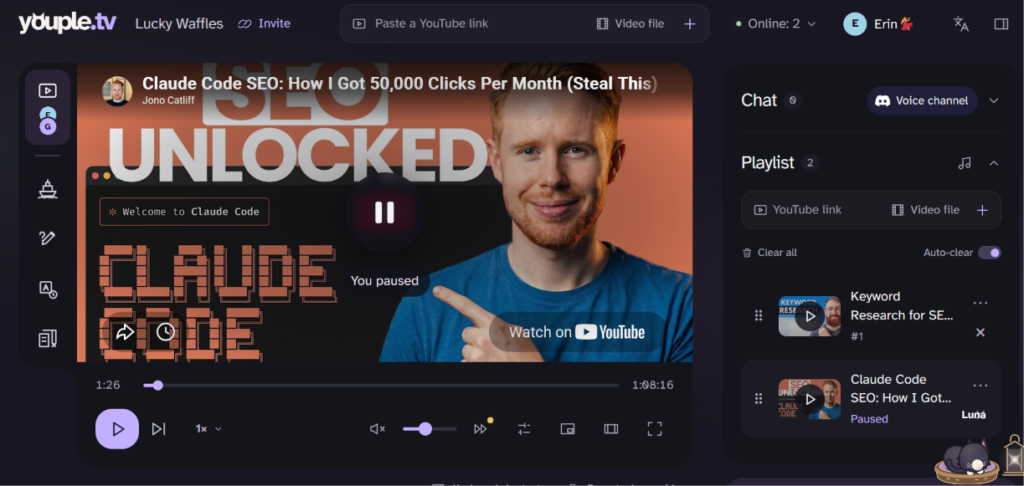
Tip: after each video, write down one thing to check on your website. Three videos turn into a short action list instead of just “watched something useful.”
The same setup works for any skill you learn on YouTube: design, coding or languages.
How to Fix Common Problems
Even a good setup can hit a snag. These quick checks can save your movie night:
- Someone is out of sync: Pause, wait a few seconds, and press play again. If that doesn’t work, ask them to refresh the page.
- There’s no sound on a phone: Tap the video or any join button, then check the volume. Mobile browsers often block sound until you tap the screen.
- The video won’t play: Try another video. Some creators don’t allow their videos to play on other websites.
- An ad throws things off: Everyone may not get the same ad at the same time. Wait for it to finish, then pause and resume together.
- The call has an echo: Ask everyone to wear headphones. It stops the video sound from going back into the call.
- Nobody can hear the video on Zoom: Stop sharing, start again, and turn on Share sound.
FAQ
Can two people watch a YouTube video at the same time?
Yes. Create a room on a watch-together website and share the link. When one of you plays or pauses the video, the other person’s video follows.
Does YouTube have a watch party option?
YouTube doesn’t have a built-in YouTube watch party feature on phones or computers — it added watch parties only to its VR app for Meta Quest headsets in 2024. To host a watch party on YouTube from a regular device, use a watch-together site like Youple.tv or Watch2Gether.
Is there a free way to watch YouTube together without an account?
Yes. Youple, SyncUp, Watch2Gether, OpenTogetherTube, and GroupTube all let you start without registering, though each has its own limits.
Can I watch YouTube together on my phone?
Yes. All you usually need is a mobile browser and the room link. SyncUp, GroupTube, and Discord also have mobile apps if you prefer them.
How can long-distance couples watch YouTube together?
Use a watch-together site like Youple.tv: one person creates a room, sends the link, and you both watch the same video in sync while talking on a call or in the chat. A fixed weekly time helps make it a routine.
Can I use these tools to study or learn together?
Yes. Add tutorials to a shared playlist, pause to discuss, and rewind the tricky parts — playback stays in sync for everyone.
