
SEO Guides · 8 min read
How to Check Website Backlinks for Free (3 Super Simple Methods!)
Updated On: July 11, 2026
I’ve lost count of how many times I’ve searched for “how to check website backlinks for free” and walked away frustrated. Sound familiar?
I run a small blog, and I just wanted a genuinely free tool that showed enough backlink data to take the first steps in building backlinks — without paying for anything. But I kept running into tools that were either too limited on daily searches or hid the really important competitor backlinks behind a paywall. Only Google Search Console kept me happy, with steady growth in impressions and a handful of backlinks 🙂
Turns out, it’s easier than I thought once I found the right methods.
What Are Backlinks in SEO?
A backlink is just a link from another website that points to yours. The more relevant, trustworthy sites linking to you, the more search engines trust your site too. That’s why checking them matters, even if you’re just starting to analyze your website’s backlink profile.
Pro tip: Don’t get frustrated if you see a small number of backlinks, and don’t run off to resellers offering “high-quality sites with DR 70+.” In most cases, those sites rank for irrelevant, spammy keywords, and the offer is aimed at people who only look at traffic numbers and DR. Don’t fall for it — that traffic usually disappears over time, and content that’s most likely AI-generated tends to drop out of the index anyway.
3 Easy Ways to Check Backlinks of a Website (for FREE)
To cut through the noise, I will show on my website, searchenginevisibility.pro, simple and free methods you can use to find backlinks of any website after reading this article.
You can use them to find backlinks for your own website and/or start spying on competitor backlinks for free.
Method 0: Google Search Console
This is the easiest method, and it’s 100% free forever.
- Sign in to Google Search Console with a Google account
- Add and verify your website (just follow the on-screen steps)
- Click Links on the left menu
- Look at Top linking sites
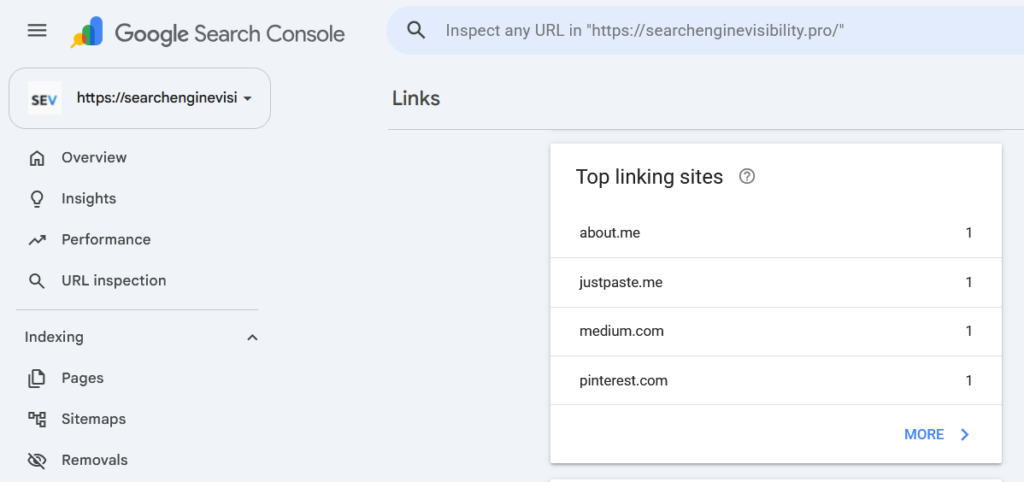
You’ll see a list of to see who’s linking to you.
Main limitation: it only works for your own site, not competitors, but it’s straight from Google and takes five minutes to set up.
Method 1: Check Manually With a Search Operator
If you don’t want to use any tool at all, you can get a rough idea using Google itself.
- Go to Google
- Type site:searchenginevisibility.pro, or search your keyword and domain name in quotes: “searchenginevisibility.pro” or “check search engine visibility“
- Browse the results
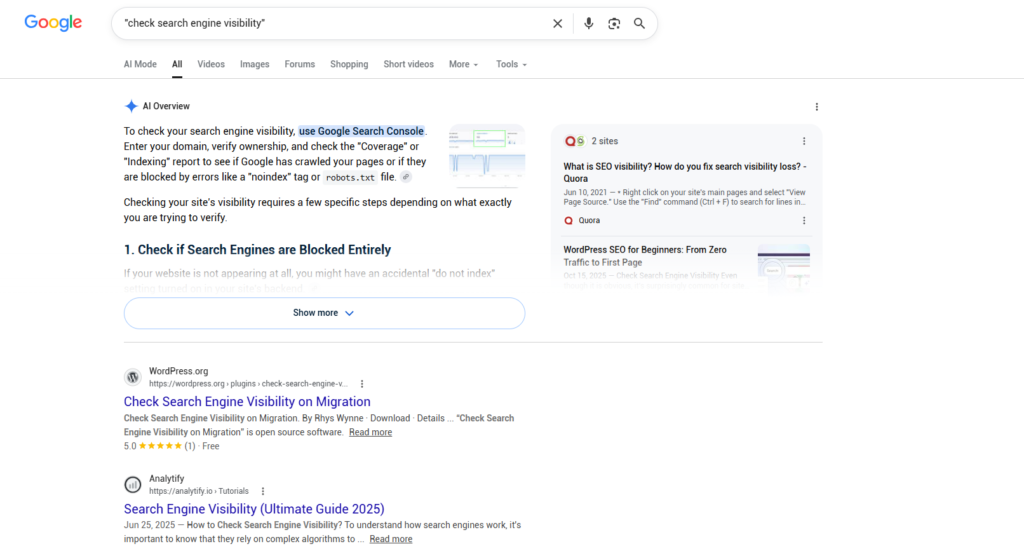
This won’t be as complete or accurate as a dedicated tool, but it’s a free, no-signup way to spot a few obvious mentions, backlinks, and potential sites for link-building outreach. This is exactly what beginners need when their site isn’t ranking yet, and they just need to identify a few competitors.
Pro tip: If you already have even a basic content plan, you can simply search a target keyword and see who your potential competitors are. You can also analyze their content and pick up new ideas you can improve on to boost your SEO ranking.
Method 2: Use ChatGPT, Claude, Gemini, or Perplexity
This one isn’t for checking your existing backlinks — it’s for identifying high-quality backlinks. AI chatbots are great research assistants for link building.
- Ask the AI directly for sites in your niche that accept guest posts, link insertions (niche edits), or link swaps
- Ask it any question related to your topic and check the sources it cites or links to. Tools like Perplexity (and Claude and ChatGPT with search turned on) show you the sites behind their answers, and those are often sites that already write about your niche
- Ask it to research keywords like “write for us [your niche]”, “[your niche] guest post guidelines”, or “[your niche] resource page” — these keywords tend to surface exactly the kind of sites open to outreach
Here’s a simple prompt you can copy and adjust:
“I run a [your niche] website. Find blogs, resource pages, and roundup articles in this niche that accept guest posts, link insertions, or link swaps. For each one, give me the site name, a short reason it’s relevant, and whether they seem to accept outreach.”
Not every site owner will reply — that’s normal and part of outreach in general. But in most cases you can land a decent link or mention this way, and sometimes it turns into an ongoing relationship where you write guest content for them in exchange for a link.
Make a simple list to reach out to site owners and ask about adding a link to your site, swapping links, or writing a guest article for them.
Method 3: Use a Free Backlink Checker Tool That’s Actually Useful
Yes, there are plenty of free SEO tools built specifically for this. The process is basically the same no matter which one you pick:
- Explore a Collaborator Backlink Checker for a quick overview of your backlink profile
- Paste in your domain (or a competitor’s)
- Hit “Check backlinks”
- Scroll through the list of results
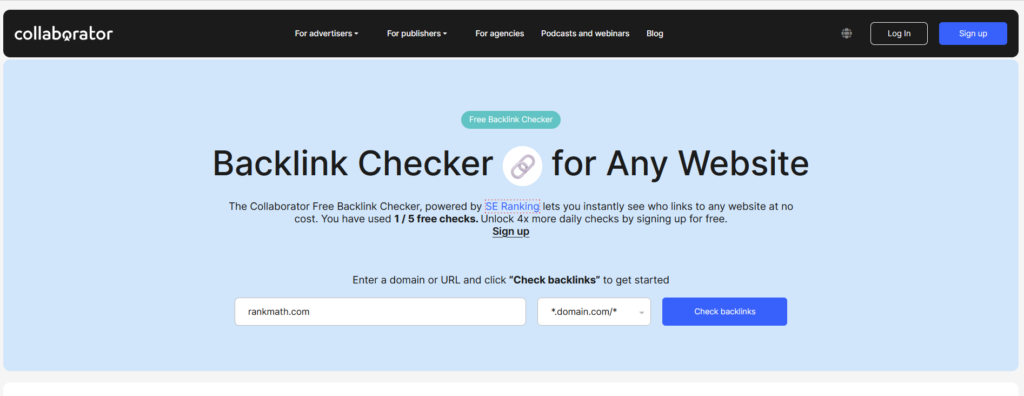
No sign-up is usually needed for a basic check. You’ll instantly get a list of who’s linking to the site, often with extra details like how strong each link is. Some tools like Collaborator Backlink Checker also show you websites available in their own link marketplace, so you can secure link placements in a few clicks — or at least get a sense of what link building will cost you.
Quick Tip
Try two methods and compare the results. If the same links show up more than once, that’s a good sign they’re real and worth paying attention to.
Keep in mind that you won’t see the same number of backlinks across every tool you use — it depends on how often each tool’s backlink database is updated. Most free backlink checkers pull their data from the backlink index of major SEO platforms like SE Ranking, Ahrefs, Majestic, and Semrush.
These platforms update their backlink indexes at different frequencies, ranging from real-time additions to periodic recrawls:
- Ahrefs: Updates its live backlink index with fresh data every 15 to 30 minutes for the most active links. This rapid crawling powers the metrics found in the Ahrefs Site Explorer. However, conducting a complete, full-scale internet database refresh takes the system about two months to fully cycle through.
- Semrush: Refreshes its user interface to display newly discovered and lost backlink data every 15 minutes. According to the Semrush Backlinks Update Guide, their backlink bot crawls roughly 10 billion links daily, allowing the total database to continuously expand on an hourly basis.
- SE Ranking: Operates on a structured, tiered crawling schedule where 26% of all backlinks are recrawled every 30 days. As detailed in the SE Ranking Data Overview, status updates are checked dynamically, ensuring that nearly 58% of the backlinks in their index are refreshed within a 90-day cycle.
- Majestic: Features a dual-index system where the Fresh Index updates daily (and adds links continuously throughout the day) to capture live link activity from the past 120 days. In contrast, as noted by Raven Tools’ Majestic Integration Integration Support, its massive Historic Index updates monthly (roughly every 4 weeks) to archive years of historical link data.
That’s It
You don’t need to pay for anything to start checking your backlinks. Pick one method, try it today, and check back once a month to see what’s changed.
Looking for specific tool recommendations? Check out my other guide comparing the best free backlink checkers.
