
SEO Guides · 8 min read
25+ Best Free SEO Chrome Extensions (2026)
Updated On: June 13, 2026
More extensions won’t make you a better SEO. The right ones will.
Most lists of Chrome extensions for SEO are either outdated, too broad, or stuffed with tools that overlap. This guide is different. We selected 27 extensions based on one criterion: do they actually save time in a real SEO workflow?
Each extension on this list is free or has a usable free tier. Each covers a specific job: link building, on-page audits, keyword research, competitive analysis, outreach, or situational tasks like broken link building. We organized them by workflow stage so you can build a lean, effective stack — not a bloated one.
SimilarWeb
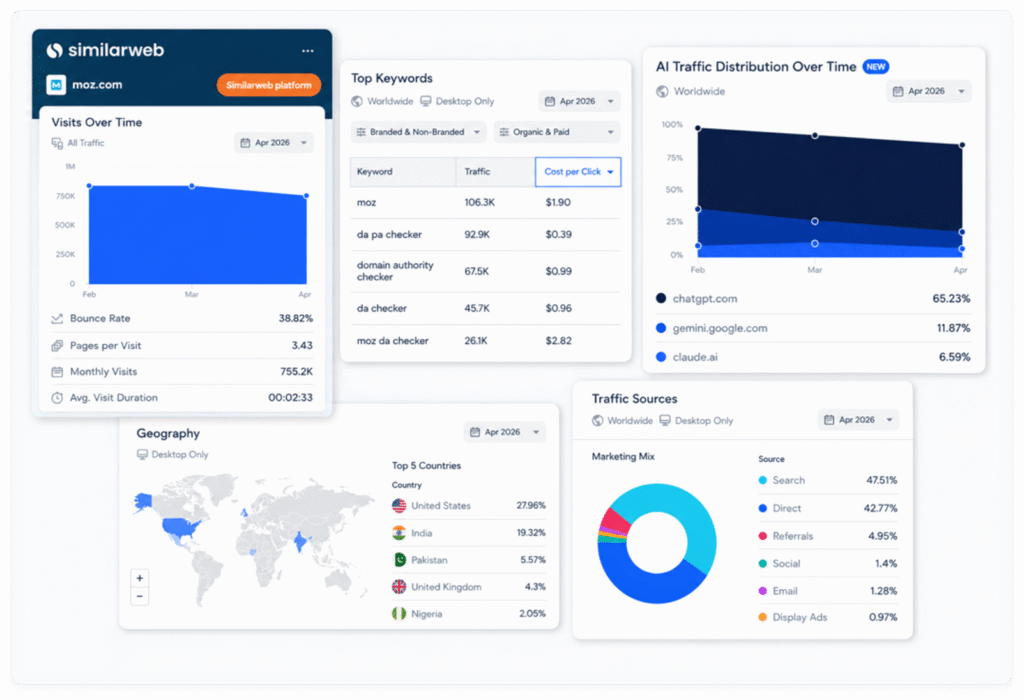
✦ Traffic estimates and engagement metrics for any domain — fast prospect qualification.
Pricing: Freemium
Best for: Estimating whether a site has enough traffic to be worth outreach
Main features: Monthly visits, traffic sources, engagement metrics, top referring sites
Why it stands out: SimilarWeb gives you a directional traffic estimate for any domain in seconds. In link building, this filters out low-traffic sites before outreach — a link from a site with 500 monthly visits is not worth the same investment as one from a site with 50,000. Treat the data as directional rather than exact.
Ahrefs SEO Toolbar
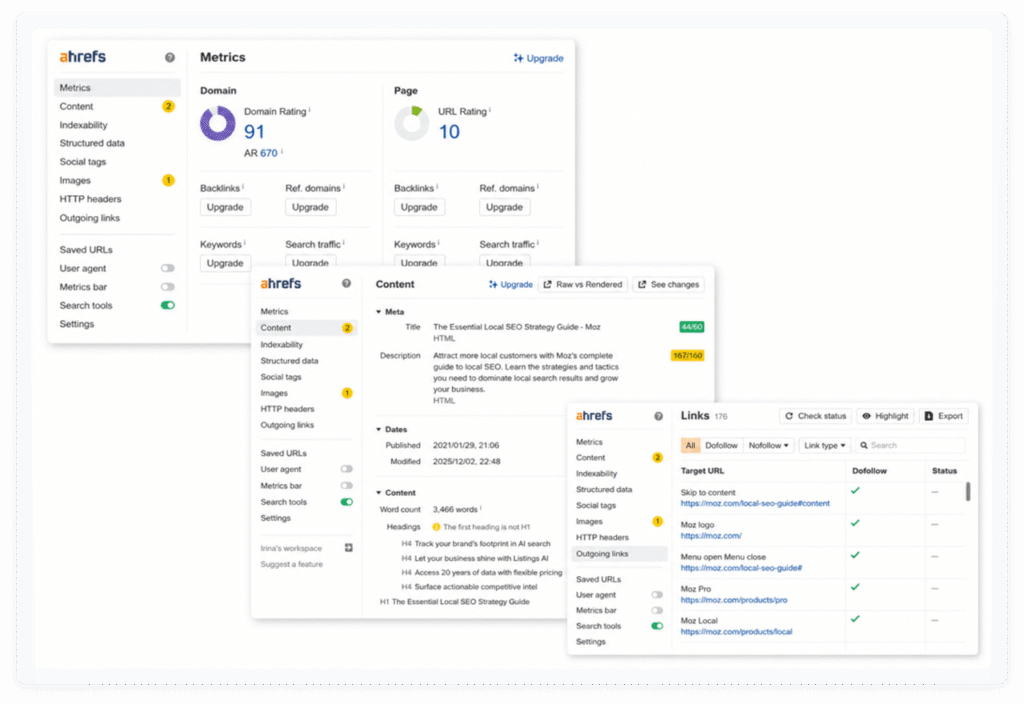
✦ Instant domain and page metrics for fast prospect filtering.
Pricing: Free (limited) / Paid (full access)
Best for: Quick DR, UR, and backlink count evaluation during prospecting
Main features: Domain Rating (DR), URL Rating (UR), backlink count, on-page metrics, SERP overlay
Why it stands out: The Ahrefs toolbar puts the most important link metrics — DR, UR, backlink counts — directly on every page and in every SERP you browse. It eliminates the need to open the full Ahrefs platform for initial prospect filtering, which saves significant time when working through large outreach lists.
Collaborator Link Assistant
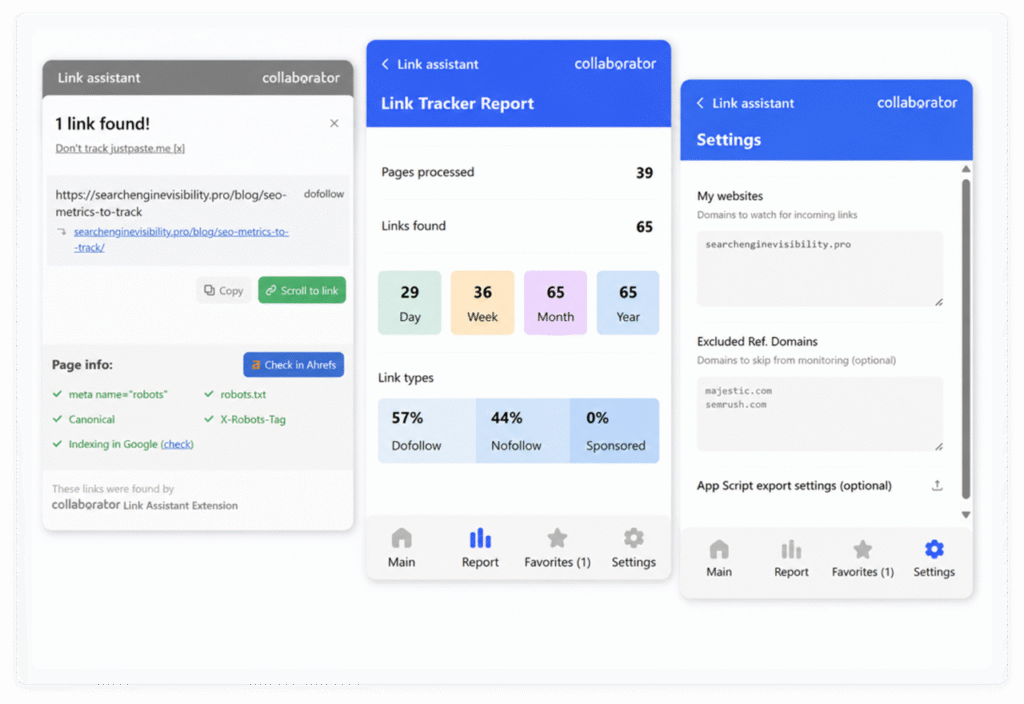
✦ Collaborator Link Assistant is a browser extension designed to automate repetitive link-building tasks across both prospecting and backlink monitoring.
Main features: Price Checker (SERP + Ahrefs), Link Tracker (attributes, indexation, detection), export, favorit
Pricing: Free
Why it stands out:
Link Tracker Mode detects backlinks on a page and shows their attributes, indexation status, and technical signals (nofollow, sponsored, canonical, robots, X-Robots-Tag). It also allows quick navigation to links and export of results.
Price Checker Mode shows whether a domain is available in the Collaborator marketplace and displays placement prices directly in Google search results and Ahrefs. This reduces the need for manual checks during prospecting.
Snov.io
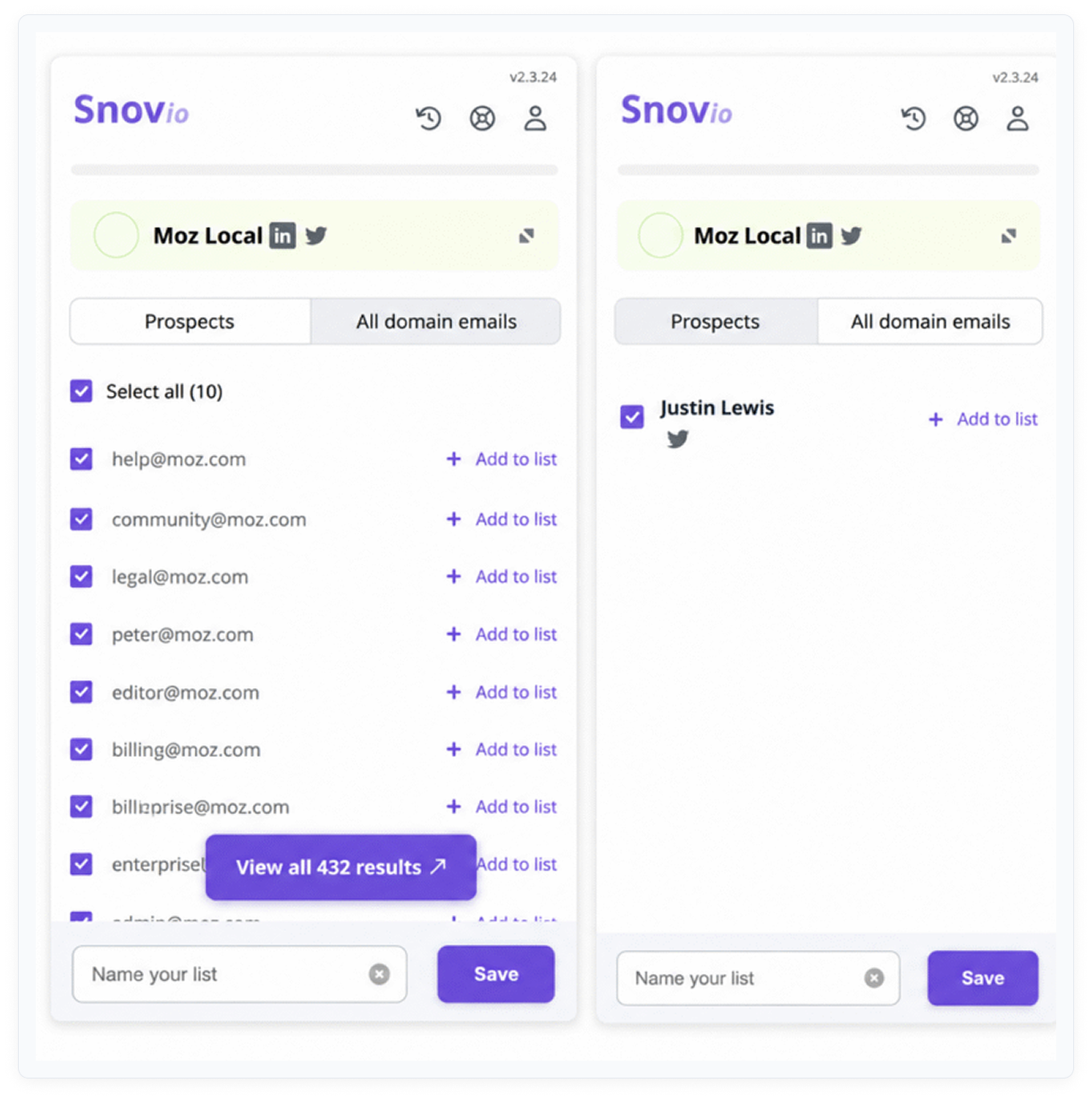
✦ Email discovery and outreach automation — the primary tool for finding contact emails.
Pricing: Freemium
Best for: Building outreach contact lists from websites and LinkedIn profiles
Main features: Email finder from websites and LinkedIn, email verification, outreach sequence automation
Why it stands out: Snov.io is the most complete browser-based email discovery tool. It finds contact emails directly from websites or LinkedIn profiles and includes built-in verification to reduce bounce rates. The automation features allow you to set up email sequences without leaving the browser extension.
SignalHire
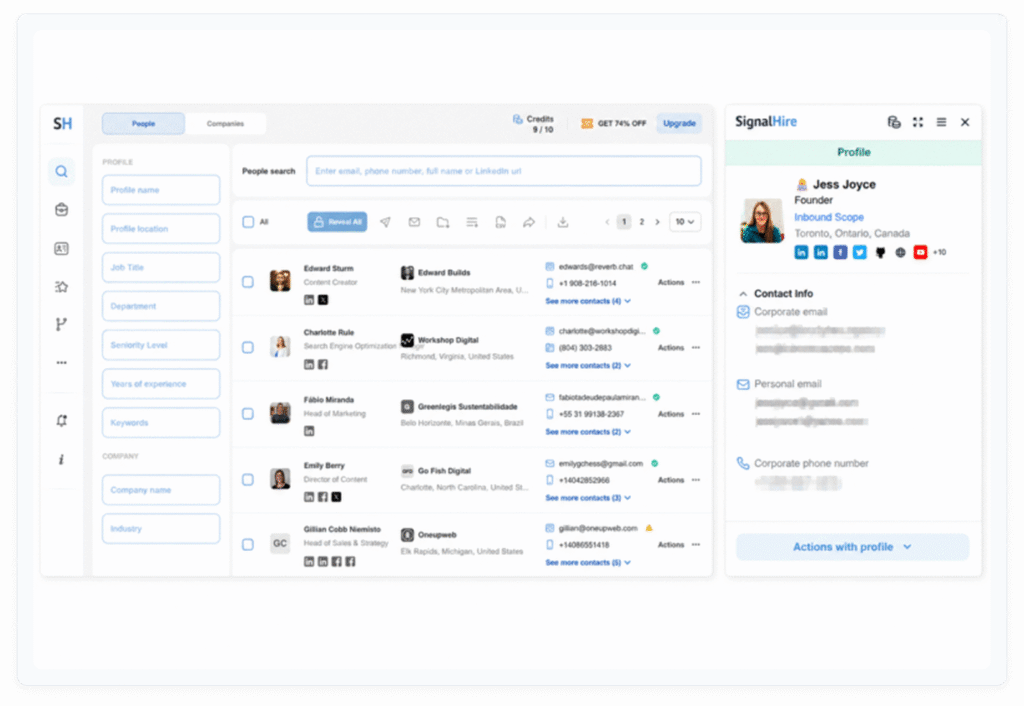
✦ LinkedIn-based email extraction — best used as a backup when Snov.io or Hunter fail.
Pricing: Freemium
Best for: Extracting contact emails from LinkedIn profiles
Main features: LinkedIn email extraction, phone number discovery, contact export
Why it stands out: SignalHire specializes in extracting emails from LinkedIn profiles. It serves as a backup when Snov.io or Hunter can’t find a contact from a website alone. Having both tools in your stack improves coverage across different types of sites and contacts.
Email Tracker
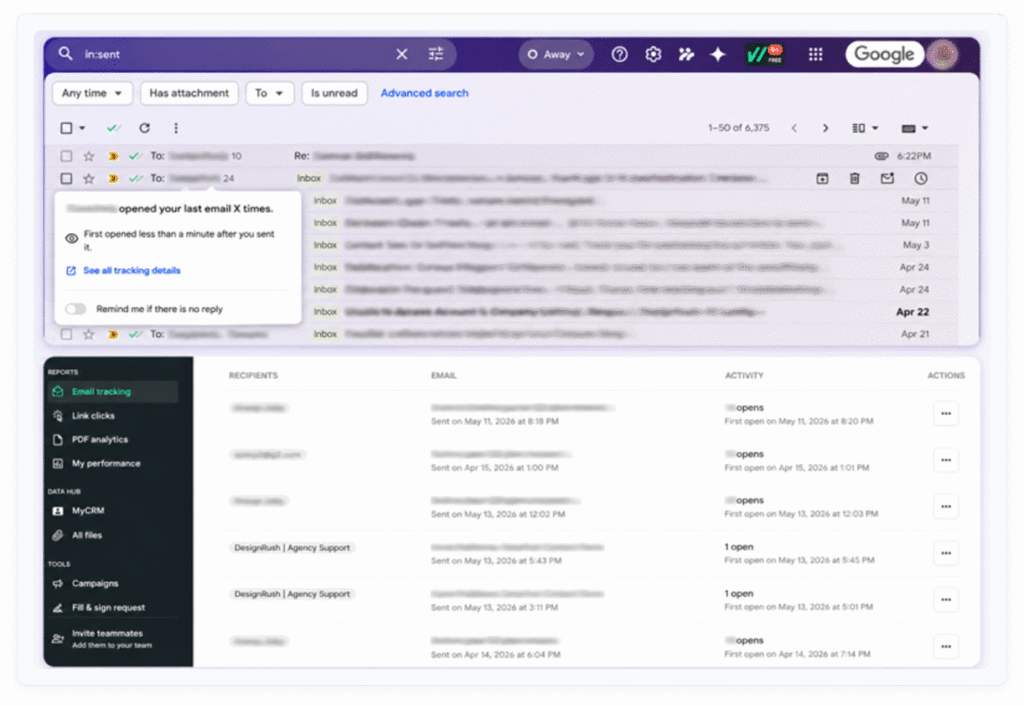
✦ Track opens and clicks on outreach emails — know what is working.
Pricing: Freemium
Best for: Track opens and clicks on outreach emails — know what is working.
Main features: Email open tracking, click tracking, real-time notifications, email status in Gmail inbox
Why it stands out: Email Tracker adds open and click tracking to Gmail without requiring a separate CRM. In link building outreach, knowing whether an email was opened helps prioritize follow-ups: an opened-but-not-replied email is a better follow-up candidate than an unopened one.
Free Backlink Checker by LRT
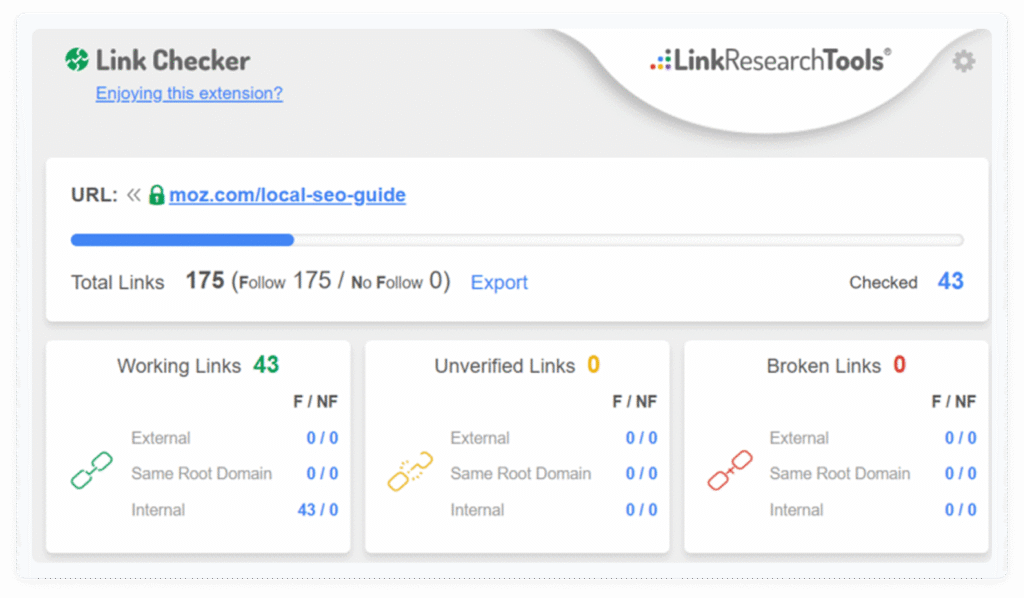
✦ Page-level link analysis for finding insertion opportunities and evaluating competitor pages.
Pricing: Free
Best for: Identifying outbound links, broken links, and linking patterns on specific pages
Main features: Outbound link analysis, broken link detection, link attribute display, page-level scope
Why it stands out: LRT’s extension analyzes every link on a specific page — outbound links, broken links, anchor text, and link attributes. This makes it useful for broken link building (find broken outbound links on high-authority pages) and link insertion research (see what a page already links to before pitching).
How I use it: Open a target page and activate LRT Backlink Checker. Instantly see all outbound links and whether any return 404 errors. Use broken links as pitching opportunities: find what content used to be there with Wayback Machine, recreate it, and pitch the site owner.
It is primarily used to identify outbound links, broken links, and linking patterns. This makes it useful for finding link insertion opportunities or evaluating competitor pages.
Wayback Machine
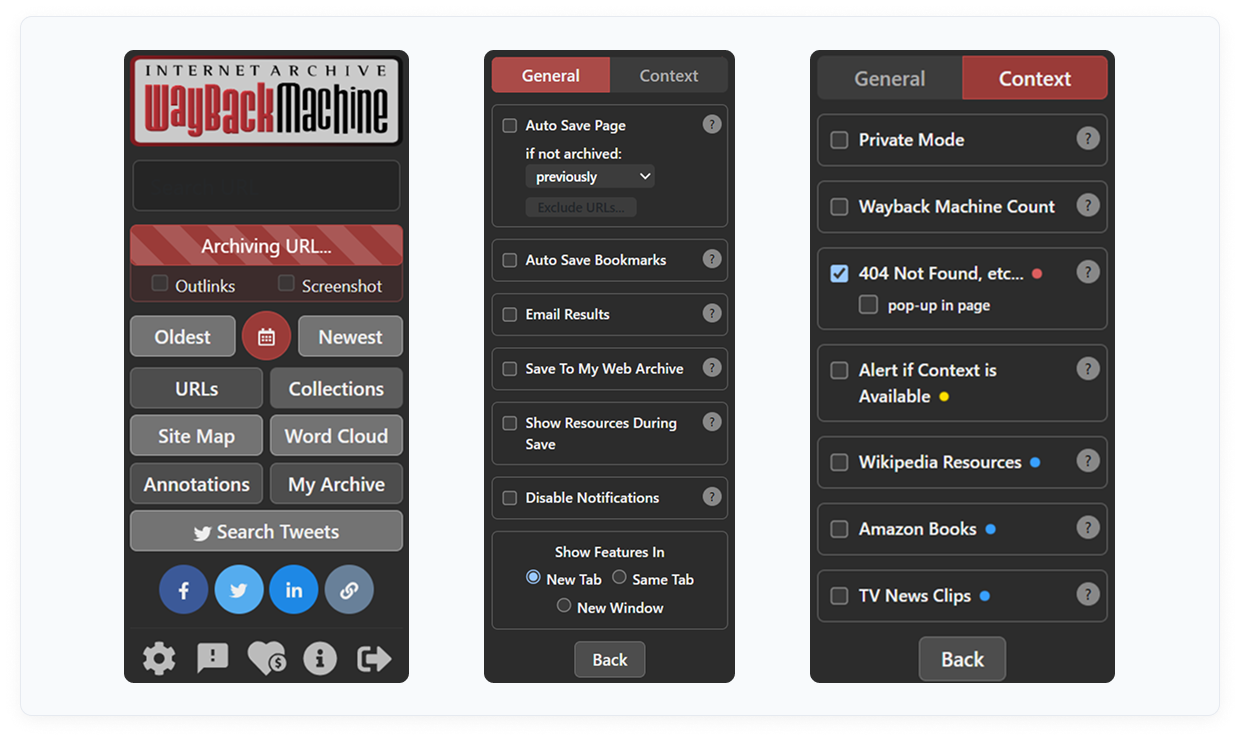
✦ View archived versions of any page — essential for broken link building and content recovery.
Pricing: Free
Best for: Broken link building, content recovery, and competitor page history research
Main features: One-click access to Internet Archive snapshots of any URL
Why it stands out: When a page returns a 404, Wayback Machine shows what content existed there previously. This enables broken link building: find a dead link on a high-authority page, recreate the original content, and pitch the site owner as a replacement. It is also useful for analyzing how competitor pages have evolved over time.
Grammarly
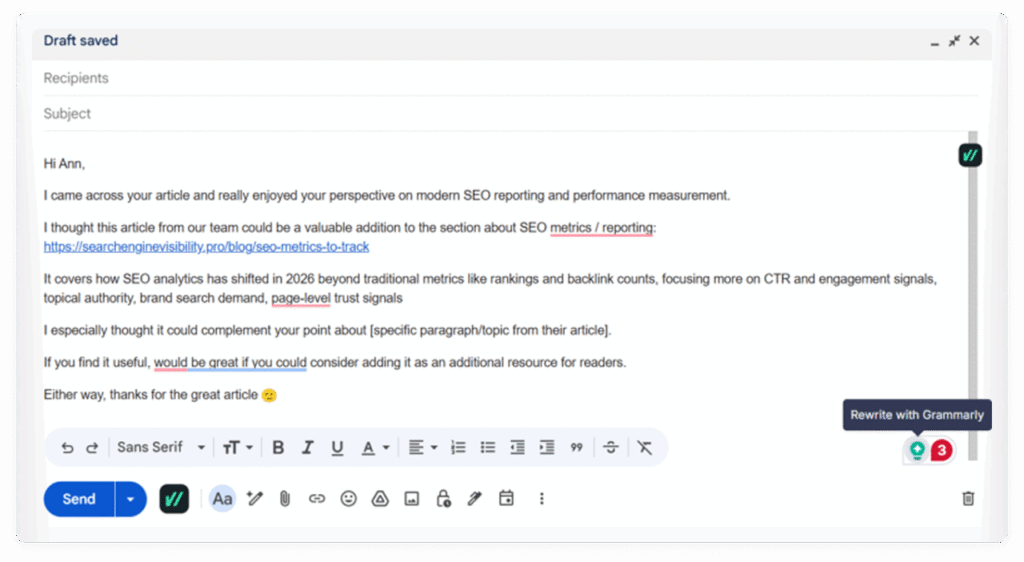
✦ Grammar, clarity, and tone checking for outreach emails and any written content.
Pricing: Freemium
Best for: Improving outreach email quality to increase reply rates
Main features: Grammar checking, clarity suggestions, tone detection, spell check across all websites
Why it stands out: Outreach quality directly affects reply rates. A poorly written email signals low effort and reduces credibility. Grammarly catches grammar errors, awkward phrasing, and unclear sentences in real time across Gmail, LinkedIn, and any web-based text field — with no export required.
FatGrid Domain Finder
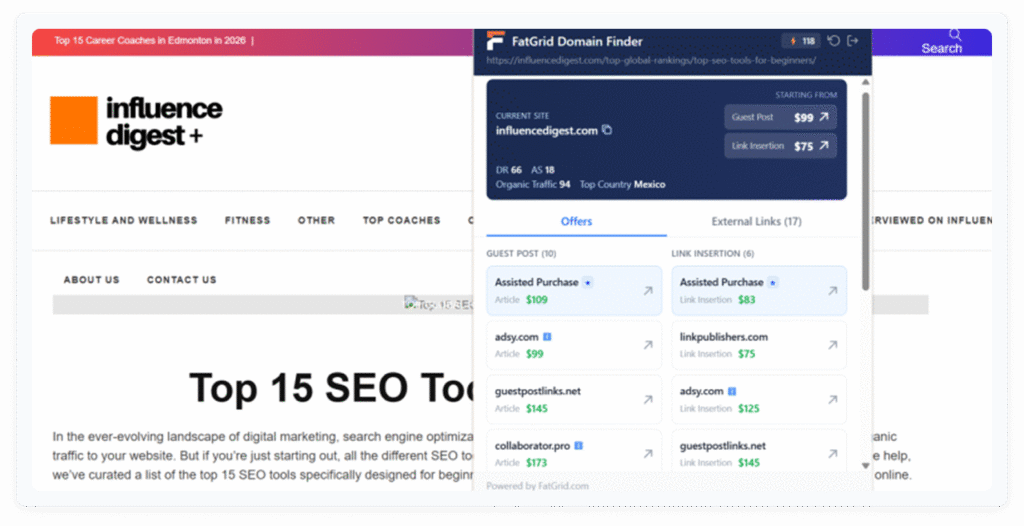
✦ FatGrid Domain Finder estimates prices for paid link placements.
- Main features: Pricing data
- Pros: Budget alignment
- Cons: Not for organic outreach
- Pricing: Paid
- Role fit: Paid link building
FatGrid Domain Finder helps evaluate domains for paid placements.
Its main use is estimating pricing and assessing whether a domain fits within a link building budget. This makes it valuable for sponsored content strategies.
This tool is unnecessary for pure outreach campaigns where links are acquired organically.
Detailed SEO Extension
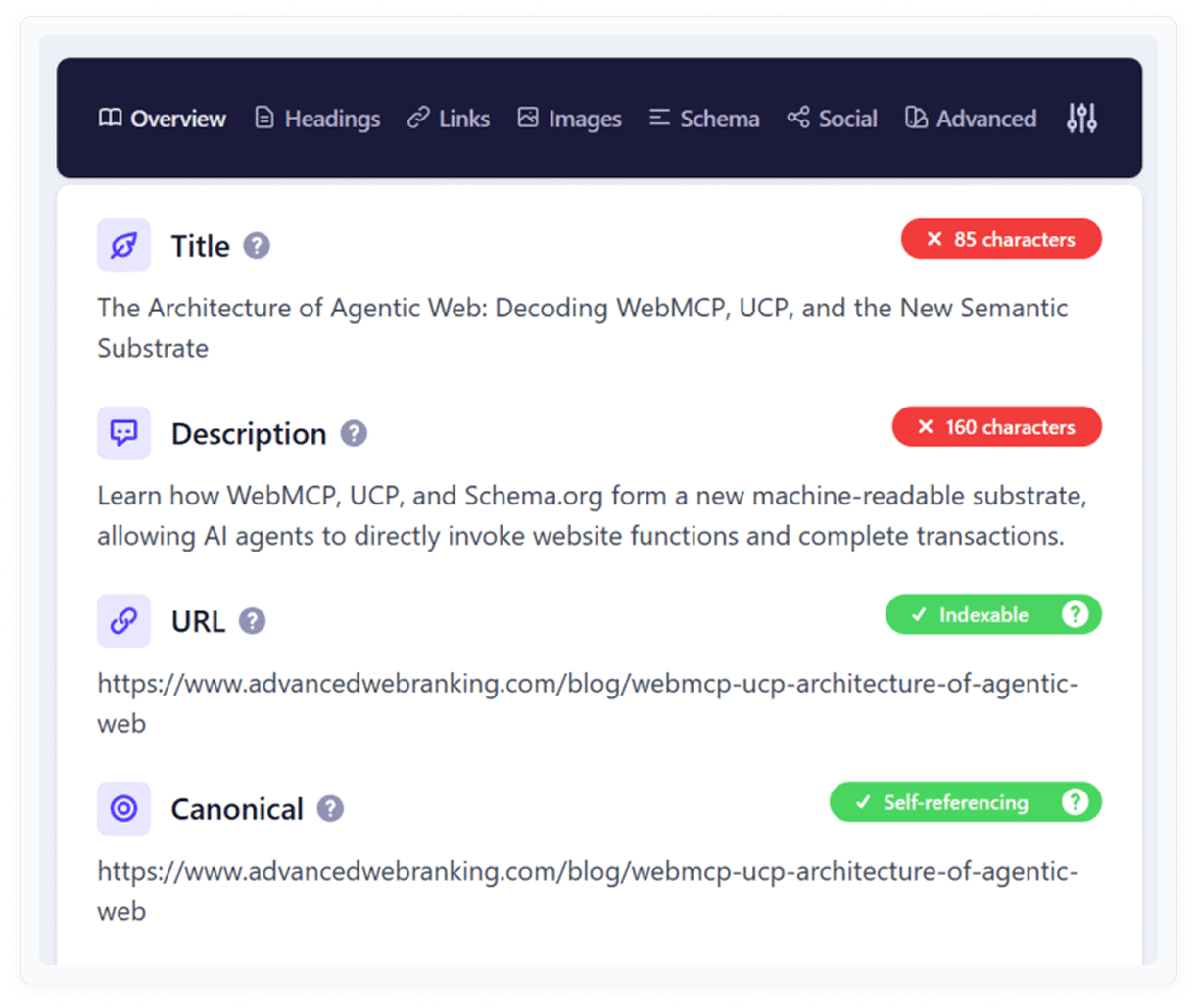
✦ The most comprehensive free on-page SEO checker available — created by Glen Allsopp.
Pricing: Free
Best for: Full on-page SEO audits: title tags, meta, canonicals, schema, internal links, Open Graph
Main features: Title tag, meta description, canonical URL, robots meta, Open Graph, Twitter Card, schema markup, internal/external links with anchor text and status
Why it stands out: Detailed SEO Extension covers everything an on-page audit needs: meta tags, canonicals, schema, Open Graph, link attributes, and headings — all in a clean, organized panel. It was built by Glen Allsopp, a respected figure in the SEO industry, which adds credibility to the data it surfaces. With 500K+ installs and a 4.9-star rating, it is the most widely trusted free on-page tool in 2026.
SEO Meta in 1 Click
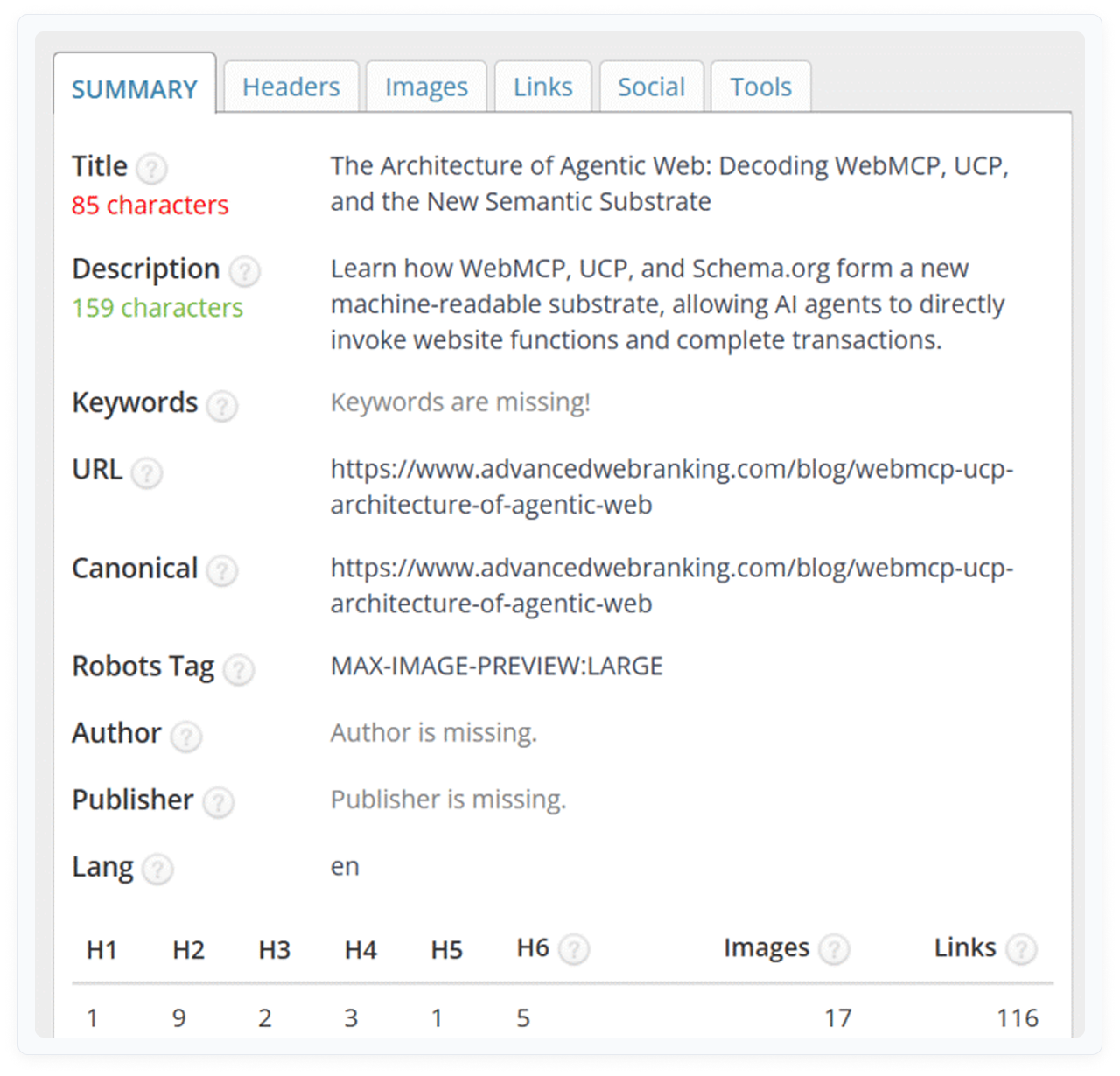
✦ Fast meta tag review for any page — title, description, headings, images.
Pricing: Free
Best for: Quick audits of meta tags, heading structure, and image alt text
Main features: Title tag, meta description, heading hierarchy (H1-H6), image alt text, robots directives
Why it stands out: SEO Meta in 1 Click is the lightest tool for reviewing a page’s basic on-page elements. One click shows title, description, all headings in hierarchy, and image alt text. It is faster than Detailed SEO Extension for quick checks where you don’t need the full audit.
SEOquake
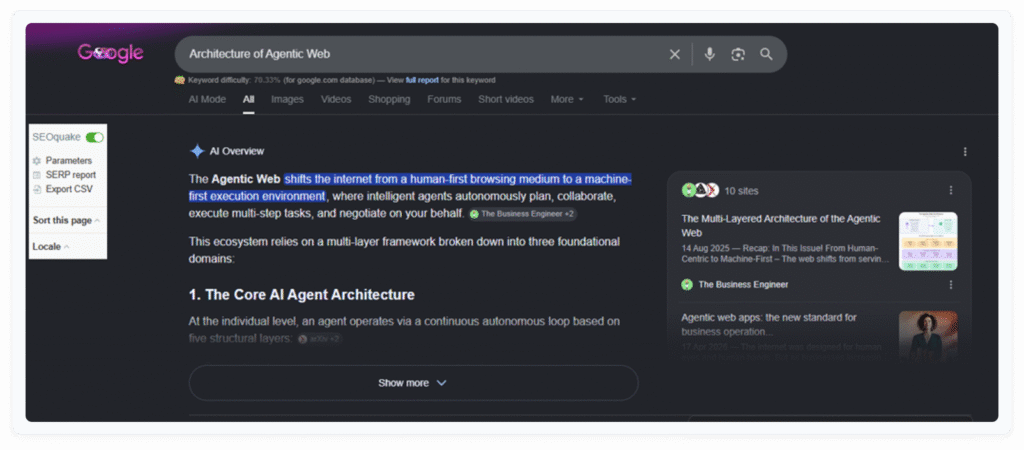
✦ On-page audit, keyword density, internal/external links, and SERP overlay in one free tool.
Pricing: Free
Best for: SERP-level competitive snapshots and detailed on-page audit reports
Main features: SERP overlay with SEO metrics, on-page SEO audit, keyword density report, internal/external link analysis, social metrics
Why it stands out: SEOquake is one of the broadest free SEO extensions available. Its SERP overlay adds domain metrics to every search result, while its on-page audit generates a structured report covering technical and content signals. The keyword density feature is uniquely useful for content optimization.
Redirect Path
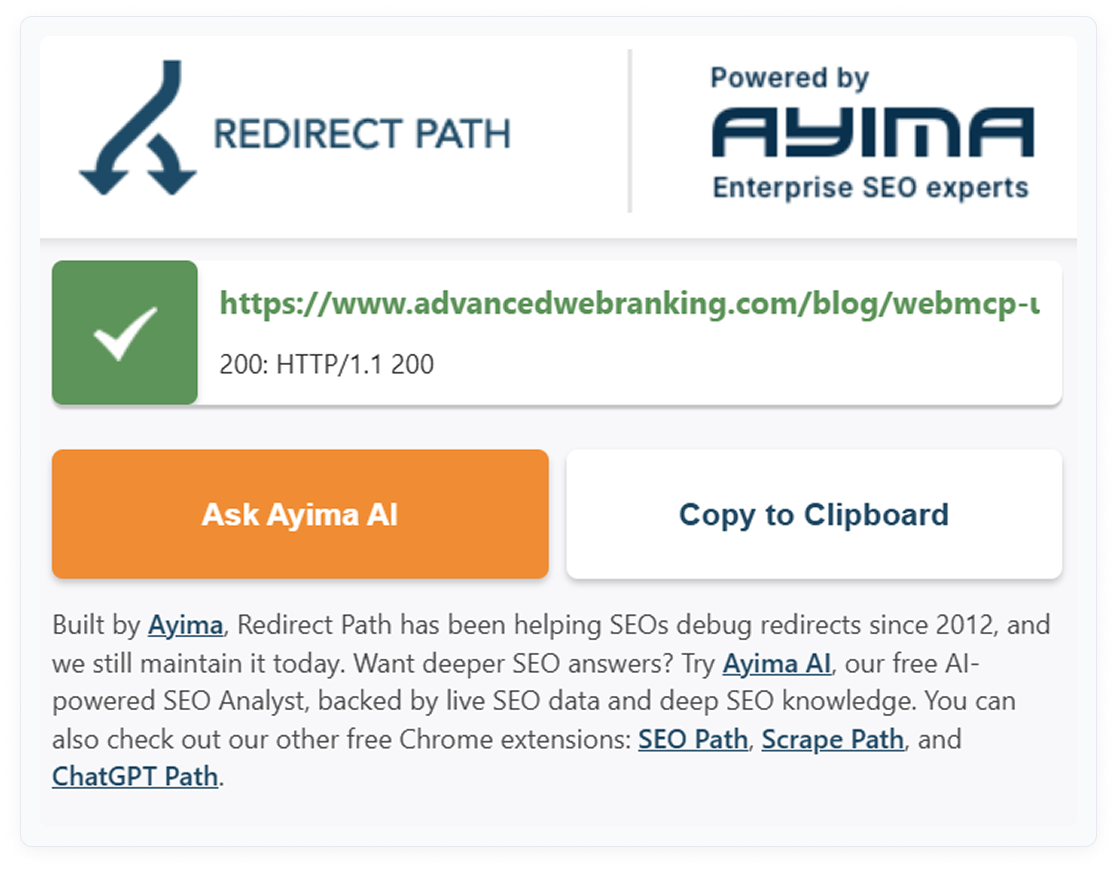
✦ Maps the full redirect chain for any URL — essential for diagnosing crawl waste.
Pricing: Free
Best for: Detecting redirect chains, 301/302 redirects, 404 errors, and client-side redirects
Main features: Full redirect chain visualization, HTTP status code flagging (301, 302, 404, 500), client-side redirect detection
Why it stands out: Redirect Path shows every hop in a redirect chain — from the original URL to the final destination. It detects both server-side (301, 302) and client-side (JavaScript, Meta refresh) redirects. This is critical for identifying redirect chains that dilute link equity or waste crawl budget.
Lighthouse
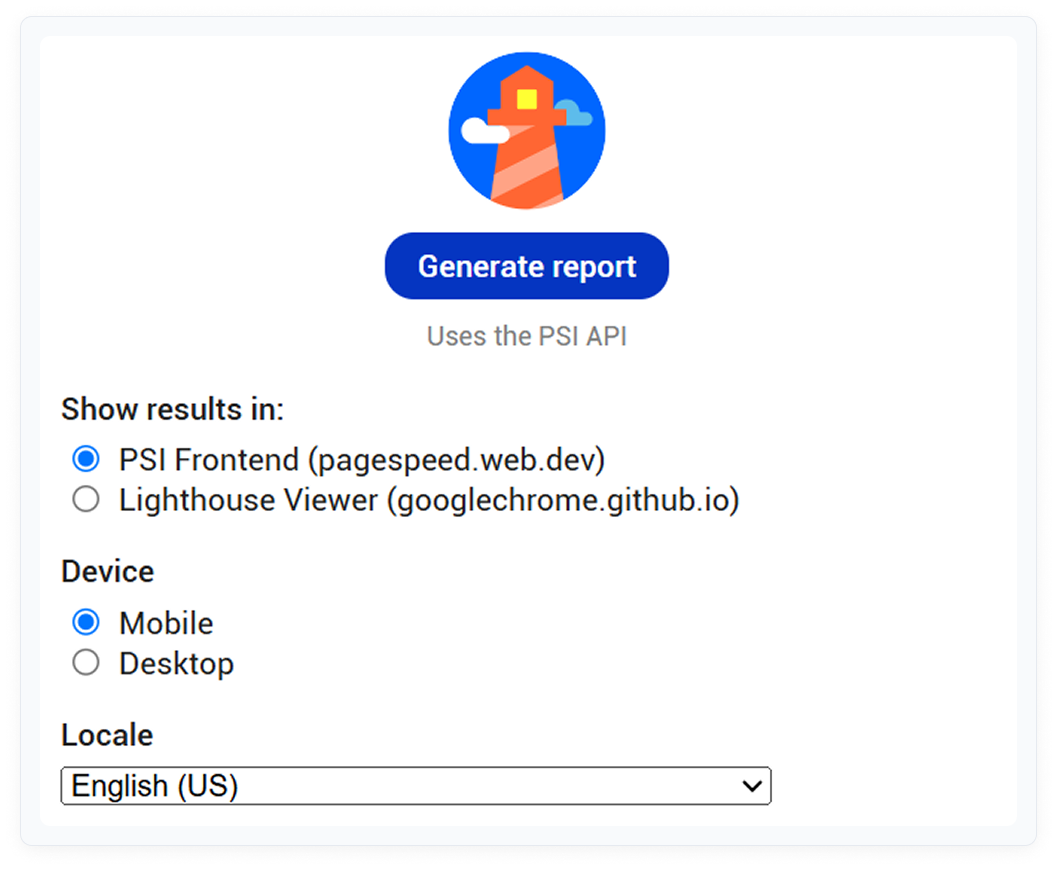
✦ Google’s own performance and technical SEO auditing tool, built into Chrome.
Pricing: Free (built into Chrome DevTools + standalone extension)
Best for: Core Web Vitals, page speed, accessibility, and technical SEO scoring
Main features: Performance score, Core Web Vitals (LCP, FID, CLS), accessibility audit, SEO audit, best practices report
Why it stands out: Lighthouse is the authoritative source for Core Web Vitals and page performance data — it is Google’s own tool. No other extension provides this level of technical detail for free. The SEO audit section also checks for missing meta tags, broken links, and mobile usability issues.
Link Checker Pro
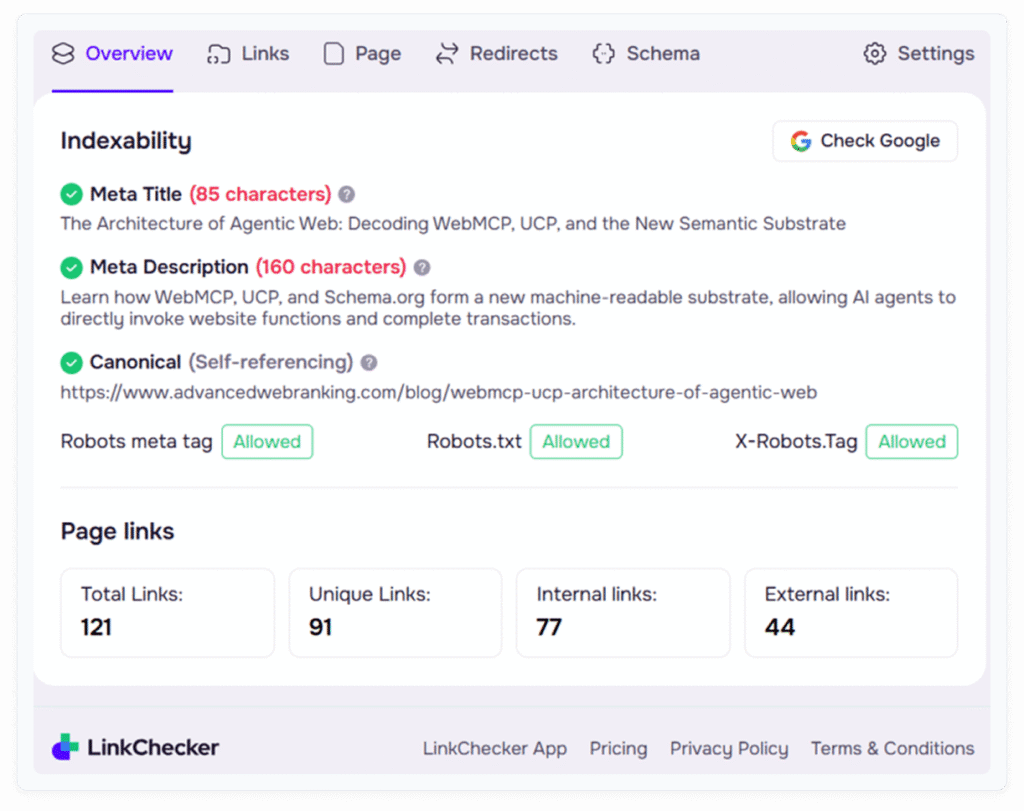
✦ Link audit, on-page checks, and redirect analysis in a single panel.
Pricing: Free / Paid (advanced features from $25/month)
Best for: Link audits, redirect validation, and anchor text analysis
Main features: Link type, follow status, anchor text, redirect path, exportable results
Why it stands out: Link Checker Pro combines link auditing, on-page checks, and redirect validation in one interface. It lays out every link on a page — including type, follow status, anchor text, and redirect path — with export functionality. For link builders checking placements, it eliminates multiple separate tool checks.
Keyword Surfer
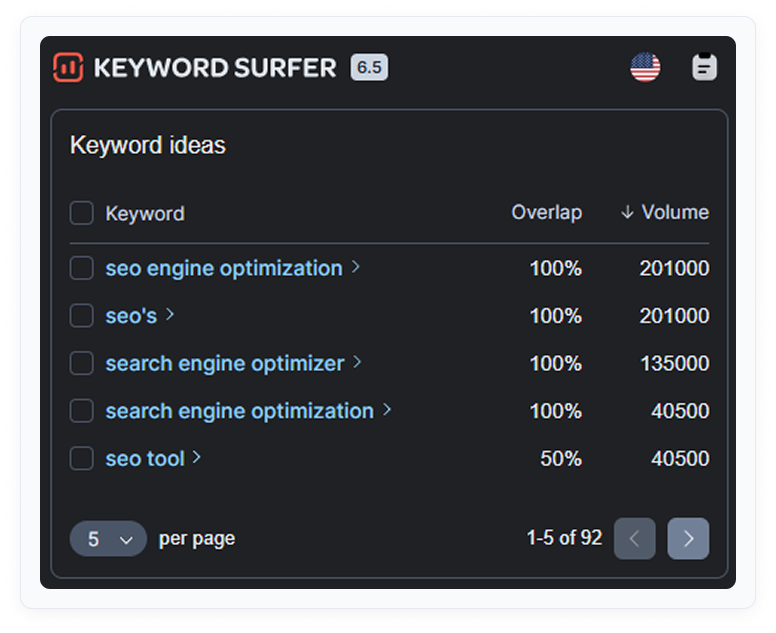
✦ Search volume and keyword ideas directly inside Google search results.
Pricing: Free
Best for: Content planning and keyword research directly in SERPs
Main features: Monthly search volume in Google search bar, related keywords sidebar, CPC data, top-page content metrics
Why it stands out: Keyword Surfer adds volume data, CPC, and related keyword suggestions directly into Google search results — no tab switching required. The sidebar shows related keywords with their volumes and content data for top-ranking pages, which makes it uniquely useful for content gap analysis during research.
Keywords Everywhere
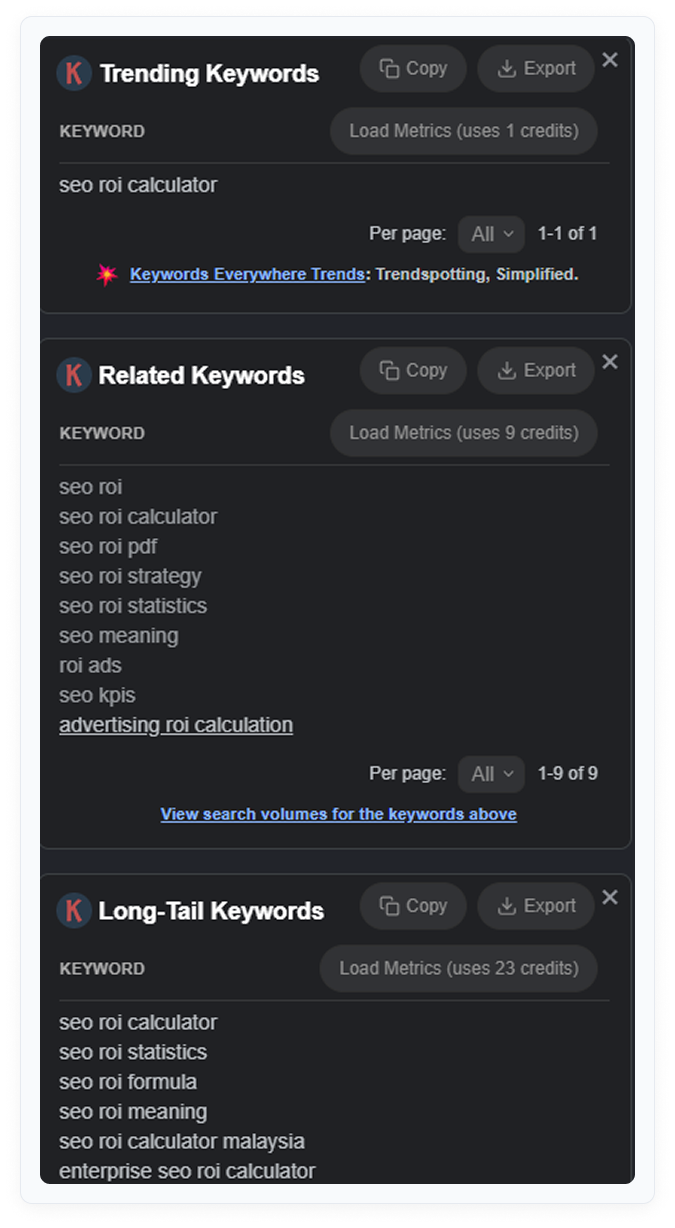
✦ Keyword volume and CPC data across Google, YouTube, Amazon, and 15+ other platforms.
Pricing: Freemium (limited free tier; paid credits for full access)
Best for: Cross-platform keyword research including YouTube, Amazon, and Etsy
Main features: Search volume, CPC, competition data on Google, YouTube, Amazon, Etsy, Pinterest, eBay, and more
Why it stands out: Keywords Everywhere stands out because it works across platforms — not just Google. For SEOs doing YouTube SEO, Amazon product research, or Etsy optimization, it provides keyword data that most browser extensions miss entirely.
Ubersuggest
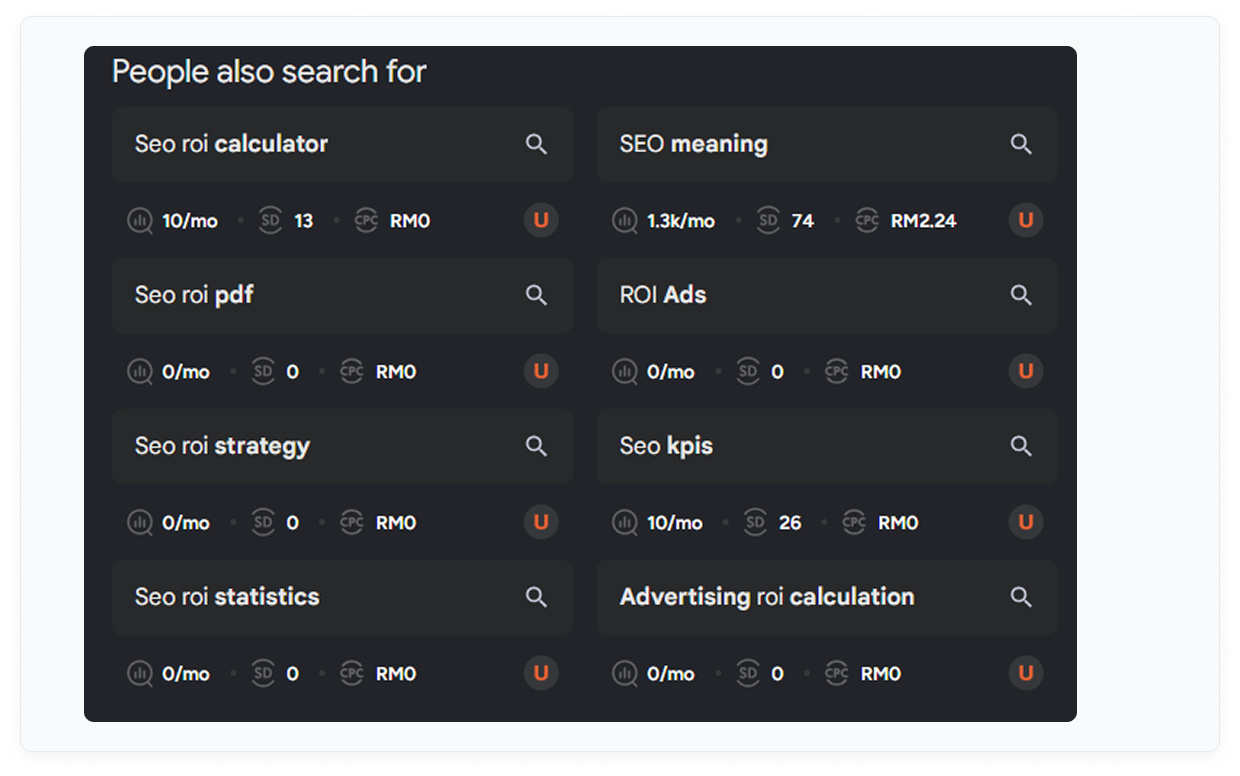
✦ Keyword overlays across Google, YouTube, and Amazon — 40 free searches per day.
Pricing: Free (40 searches/day) / Paid
Best for: Daily keyword research without a paid subscription
Main features: Keyword volume, CPC, SEO difficulty overlays on Google, YouTube, and Amazon
Why it stands out: Ubersuggest’s Chrome extension provides 40 free daily keyword searches with clean data overlaid on Google and YouTube. For bloggers, content creators, and small-business SEOs, this covers most daily research needs without a paid account.
SEO Minion
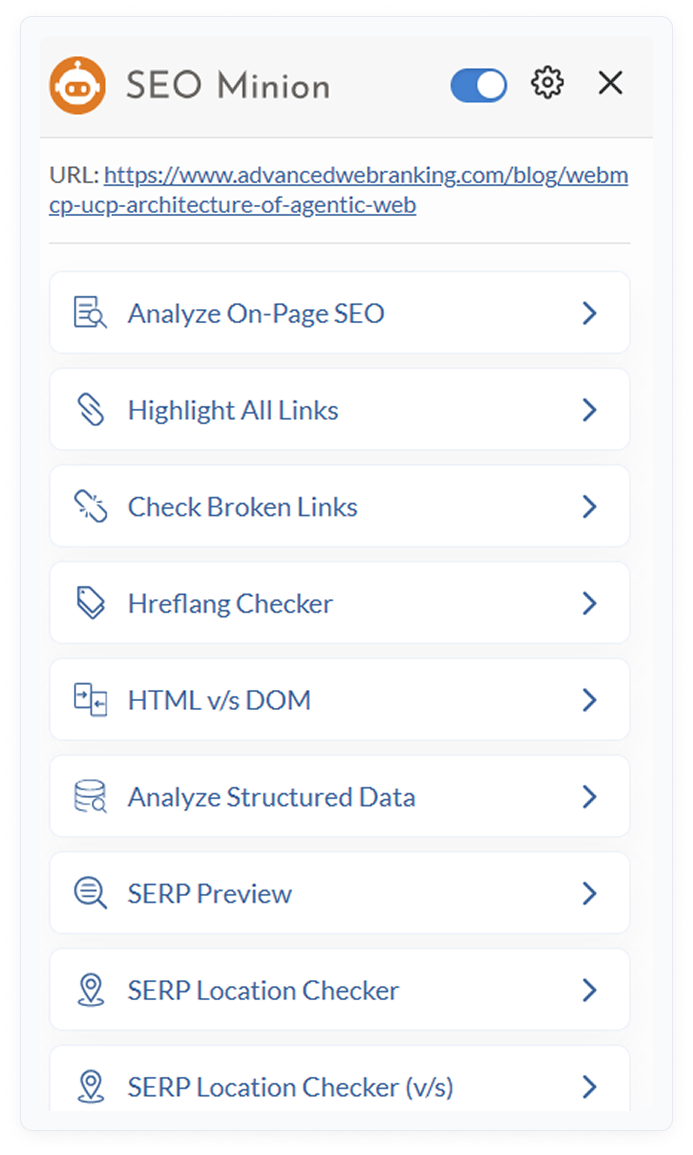
✦ Multi-purpose extension with SERP preview, hreflang checker, and on-page analysis.
Pricing: Free
Best for: SERP snippet preview, hreflang audits, and link highlighting
Main features: SERP preview, on-page SEO analysis, hreflang tag checker, broken link highlighting, People Also Ask download as CSV
Why it stands out: SEO Minion is one of the most versatile free extensions because it handles several different tasks: previewing how a page looks in SERPs before publishing, auditing hreflang tags for international SEO, and downloading People Also Ask data as CSV for content research.
BuiltWith
✦ Instant domain and page metrics for fast prospect filtering.
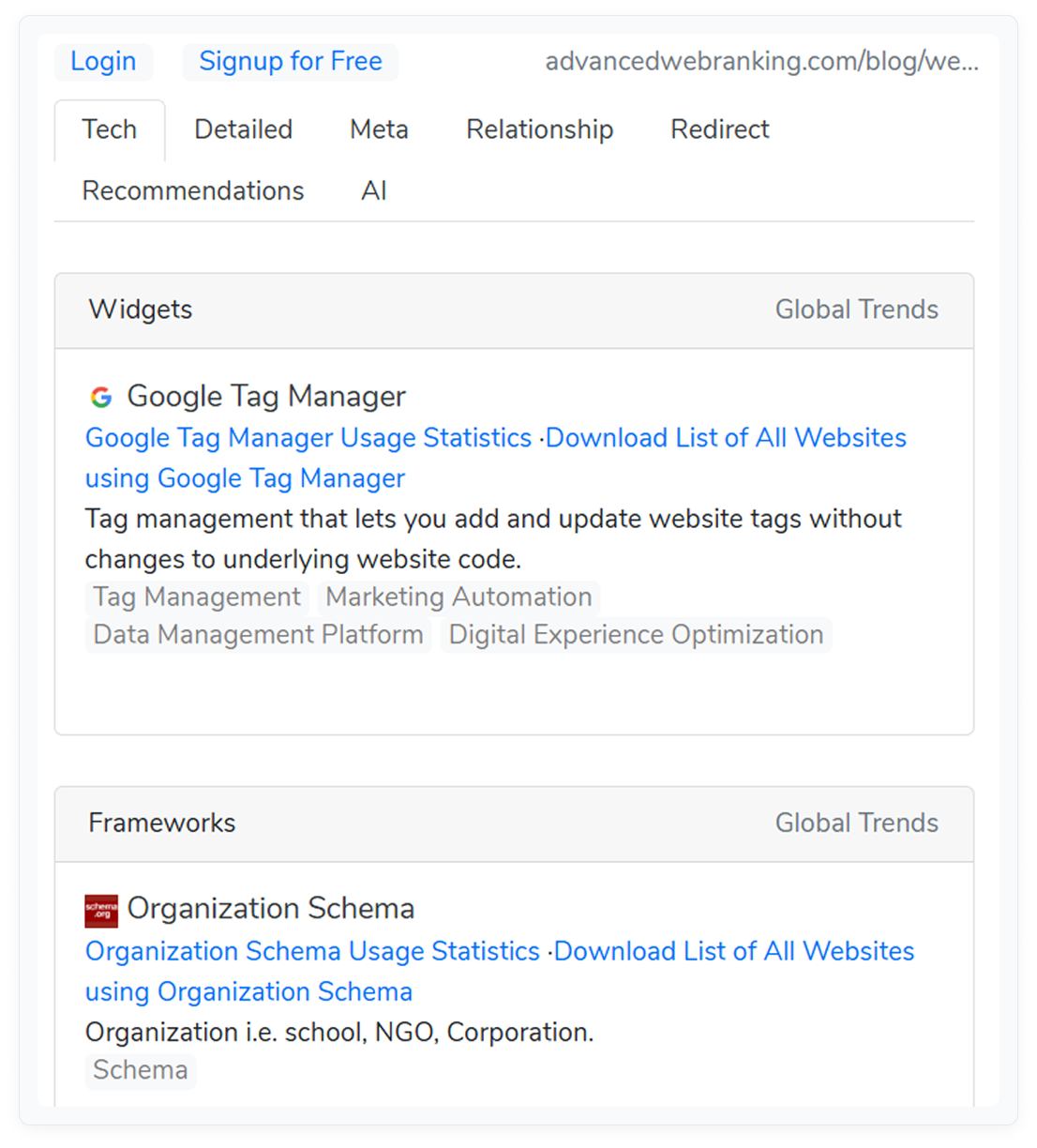
Identifies the technology stack of any website — CMS, hosting, analytics, ad platforms.
Pricing: Free
Best for: Understanding what CMS, tracking tools, and ad networks a site uses
Main features: CMS detection, hosting provider, analytics tools, advertising networks, e-commerce platforms
Why it stands out: BuiltWith reveals the full technology stack of any website. In SEO, this is useful for identifying whether a site runs on WordPress (easy to suggest guest post formats), what analytics tools they use, and whether they run ads (signals commercial intent).
Wappalyzer
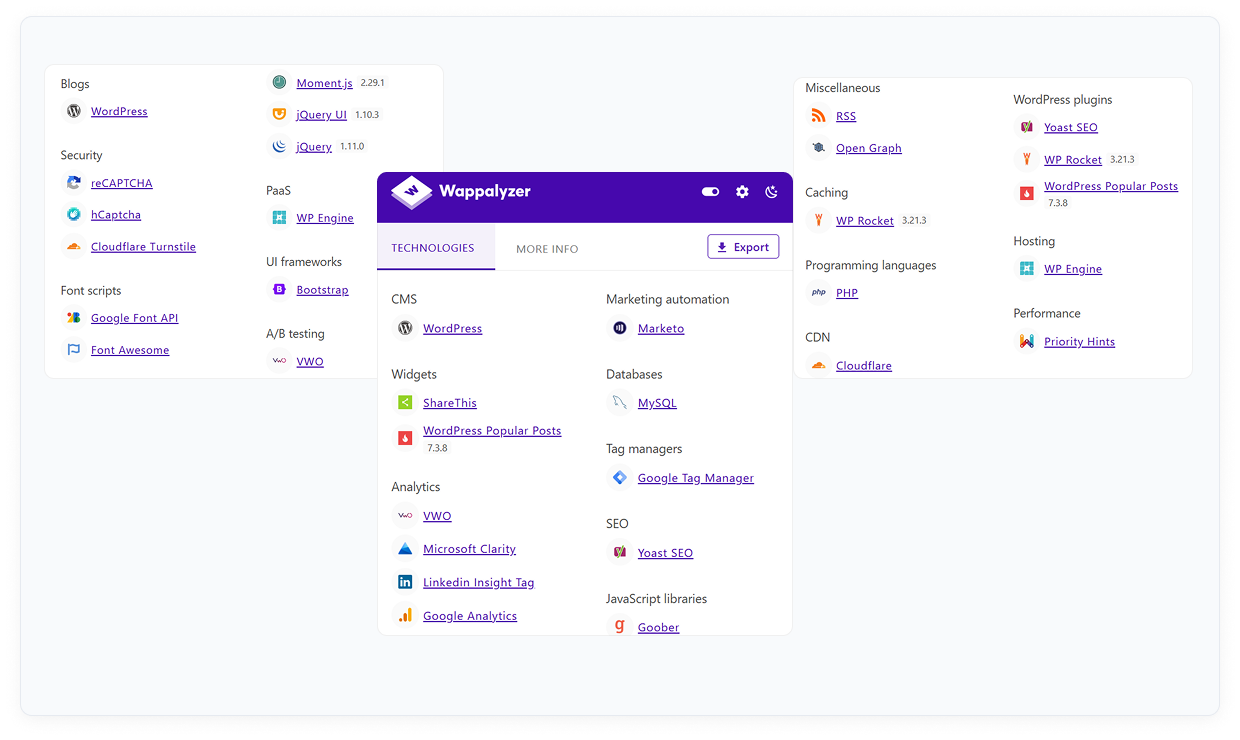
✦ Fast CMS and technology identification — lighter and faster than BuiltWith.
Pricing: Free / Paid
Best for: Quick identification of CMS, frameworks, and tech stack
Main features: CMS, JavaScript frameworks, e-commerce platforms, CDN, web server detection
Why it stands out: Wappalyzer is a lighter alternative to BuiltWith with a cleaner interface. It identifies CMS, frameworks, and platforms in one click with less detail but faster load time. Useful when you need quick CMS identification across many prospects.
Hunter.io
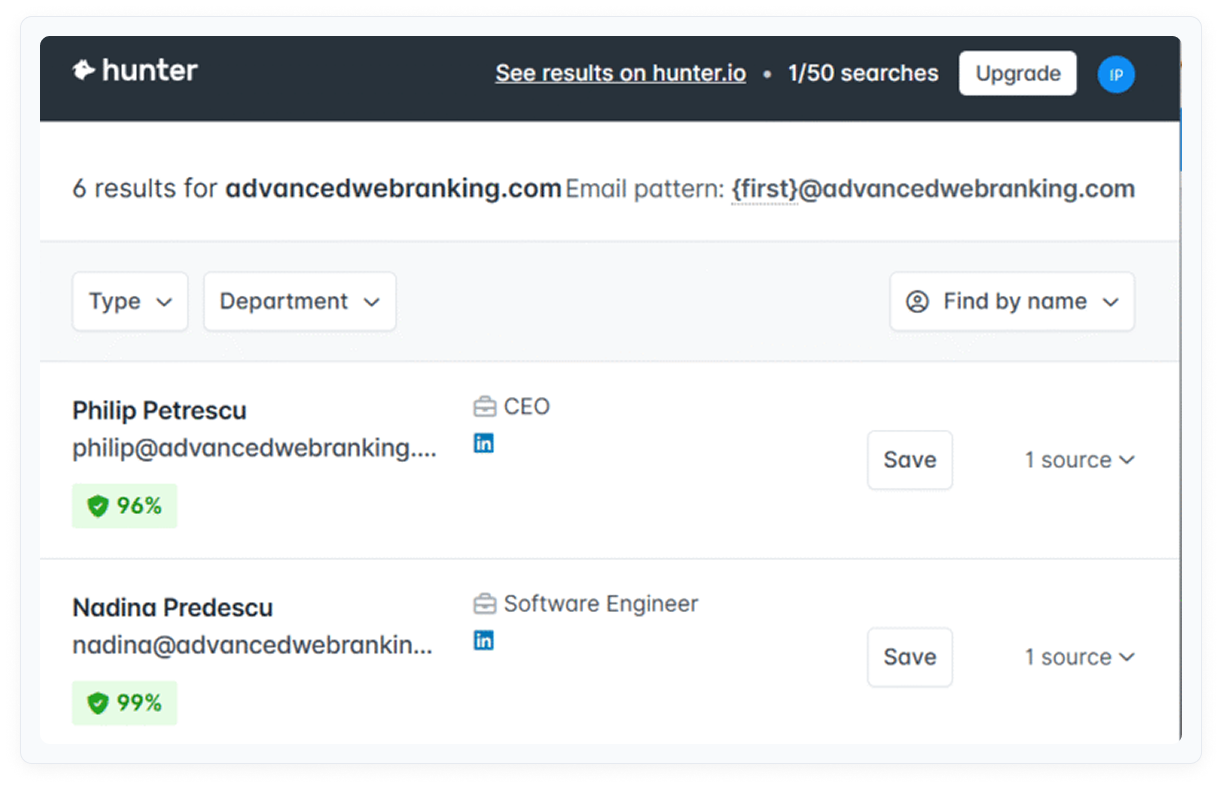
✦ Email finder with high accuracy and built-in domain search.
Pricing: Freemium (25 free searches/month)
Best for: Finding and verifying contact emails for outreach campaigns
Main features: Email finder from websites, domain-level email pattern detection, email verification
Why it stands out: Hunter.io is particularly strong for domain-level email discovery — it identifies the email pattern used by a domain (e.g., first.last@domain.com) and lists all publicly found emails. This is useful when you can’t find a specific contact but want to guess the right format.
Tag Assistant (Google)
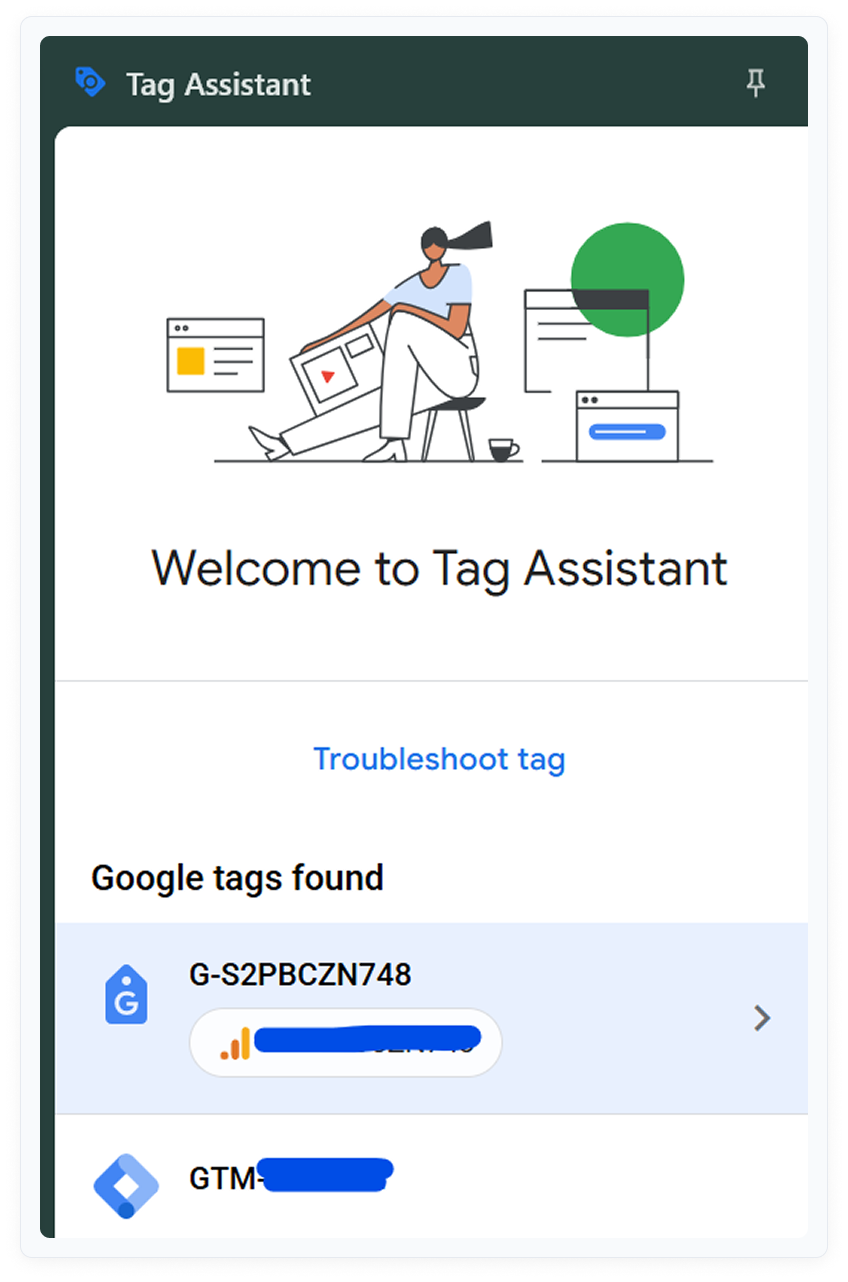
✦ Verify that Google Analytics, GTM, and other Google tags are firing correctly.
Pricing: Free
Best for: Debugging Google Analytics 4, Google Tag Manager, and other Google tracking tags
Main features: Tag validation for GA4, GTM, Google Ads conversion tracking, and other Google tags
Why it stands out: Tag Assistant verifies that tracking tags are installed correctly and firing as expected. For SEOs managing analytics setups, this eliminates the need to inspect network requests manually. Broken GA4 implementations can mean missing conversion data that affects SEO reporting.
Hreflang Tag Checker
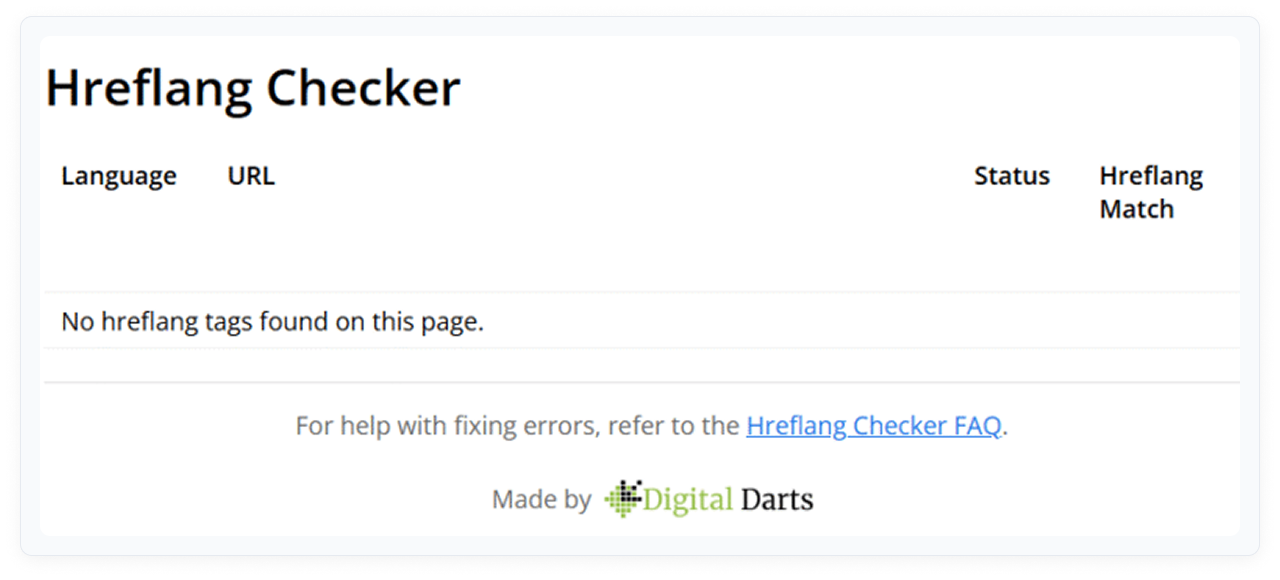
✦ Audits hreflang implementation for international SEO — flags errors and missing tags.
Pricing: Free
Best for: International SEO audits for sites targeting multiple languages or regions
Main features: Hreflang tag detection, x-default verification, return tag validation, error highlighting
Why it stands out: Hreflang Tag Checker audits the hreflang implementation on any page and flags common errors: missing return tags, incorrect language codes, and misconfigured x-default. For international sites, hreflang errors cause the wrong language version to appear in search results.
OpenSEO Stats
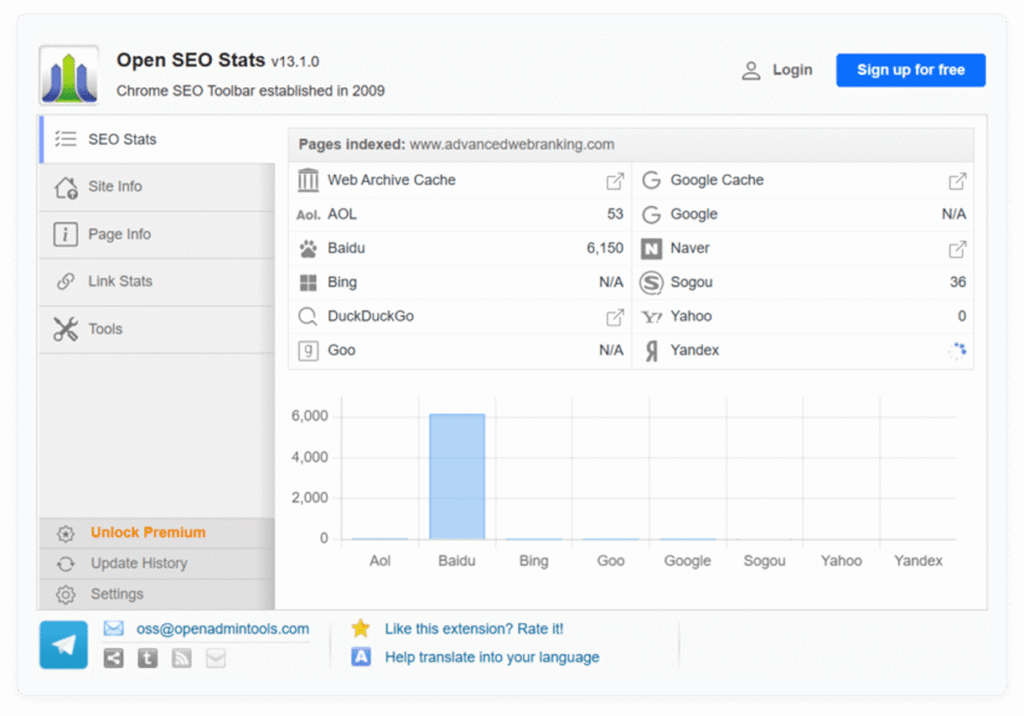
✦ Lightweight page metrics from multiple sources in one click — useful as a secondary check.
Pricing: Free
Best for: Quick multi-source page metrics without a heavy toolbar
Main features: Page metrics from multiple sources, on-page element summary, lightweight footprint
Why it stands out: OpenSEO Stats is a minimal, fast extension that aggregates page metrics from multiple sources. It is useful as a secondary check when you want data from multiple providers without activating heavy extensions that slow down the browser.
How to Build Your Extension Stack
Running 27 extensions simultaneously is not the goal. More than 5-7 active extensions noticeably slows Chrome and creates cognitive overload. Build a stack around your primary workflow, then add situational tools only when needed.
Here are three proven stacks:
Stack 1: Link Builder
- Collaborator Link Assistant — backlink monitoring and prospecting
- Ahrefs SEO Toolbar — quick DR/UR checks
- NoFollow — dofollow/nofollow visual check
- Snov.io — contact email discovery
- Email Tracker for Gmail — outreach performance
Stack 2: Content SEO / Blogger
- Keyword Surfer — volume data in Google SERPs
- Detailed SEO Extension — on-page audit before publishing
- SEO Meta in 1 Click — quick meta review
- Grammarly — writing quality
- Wayback Machine — situational, keep installed but inactive
Stack 3: Technical SEO / Agency
- Ahrefs SEO Toolbar — domain metrics at scale
- Detailed SEO Extension — full on-page audit
- Redirect Path — redirect chain detection
- Lighthouse — Core Web Vitals and performance
- SEOquake — SERP overlay for competitive snapshots
- SimilarWeb — traffic qualification
Keep unused extensions disabled (not uninstalled). Enable them when you need them, disable when you don’t. This keeps browser performance fast without losing access to situational tools.
FAQ
Do Chrome extensions replace full SEO platforms like Ahrefs or Semrush?
No. Chrome extensions are support tools — they handle quick checks, initial filtering, and routine validations. Full platforms provide sitewide crawling, historical data, rank tracking, and deep competitive analysis that extensions cannot replicate. The right stack uses both: extensions for speed, platforms for depth.
How many Chrome extensions should be active at once?
Keep 5-7 active for daily use. Running more than that introduces redundancy and reduces browser performance. Install all relevant extensions, but disable those you don’t use daily. Enable situational tools (Wayback Machine, Hreflang Tag Checker) only when the task requires them.
Which extension is best for finding emails?
Snov.io is the primary tool for email discovery from websites and LinkedIn profiles. Hunter.io is the strongest alternative for domain-level email pattern detection. Use SignalHire as a backup when both fail to find a contact. Running all three in your stack improves coverage significantly.
Which extension is best for backlink monitoring?
Collaborator Link Assistant is the fastest tool for verifying placed backlinks. Open a page where your link is placed and the extension immediately shows its status, attributes (nofollow, sponsored, canonical), and indexation state. No manual source inspection, no tab-switching. For broader domain-level backlink data, combine it with Ahrefs SEO Toolbar.
Are free SEO Chrome extensions accurate?
For technical checks — HTTP status codes, redirect chains, meta tags, hreflang — extensions are highly accurate because they read directly from the page. For traffic estimates (SimilarWeb) and authority metrics (MozBar DR, Ahrefs DR), treat data as directional rather than exact. Always use multiple data sources for critical decisions.
What is the best Chrome extension for on-page SEO audits?
Detailed SEO Extension is the most feature-complete free option in 2026, with 500K+ installs and a 4.9-star rating. It covers title tags, meta descriptions, canonicals, schema, Open Graph, and internal links in a single panel. For quick checks, SEO Meta in 1 Click is faster and lighter.
Can I use these extensions on Firefox or Edge?
Most extensions on this list have Firefox and Edge versions. MozBar, SEOquake, SimilarWeb, Keywords Everywhere, and Ahrefs SEO Toolbar all support major browsers. Grammarly works across all browsers. Check each extension’s listing for current browser support, as this can change between updates.
When should I use the Wayback Machine extension?
Use Wayback Machine when you encounter a 404 page during prospecting or competitor research, or when running a broken link building campaign. It is a situational tool — not needed for daily workflows but essential when it is. Keep it installed and disabled; enable it only when needed to avoid browser slowdown.
Conclusion
The difference between a slow SEO workflow and a fast one is rarely about having more data. It is about removing the steps between seeing a site and making a decision.
A well-chosen extension stack handles the repetitive layer: quick DR checks, backlink attribute verification, meta tag review, email discovery, outreach tracking. These are tasks that take 2-5 minutes each manually and become seconds with the right tool active.
Start with the stack that matches your primary workflow. Add situational tools when you need them. Keep the stack lean enough that Chrome stays fast and you actually use every extension you have active.

